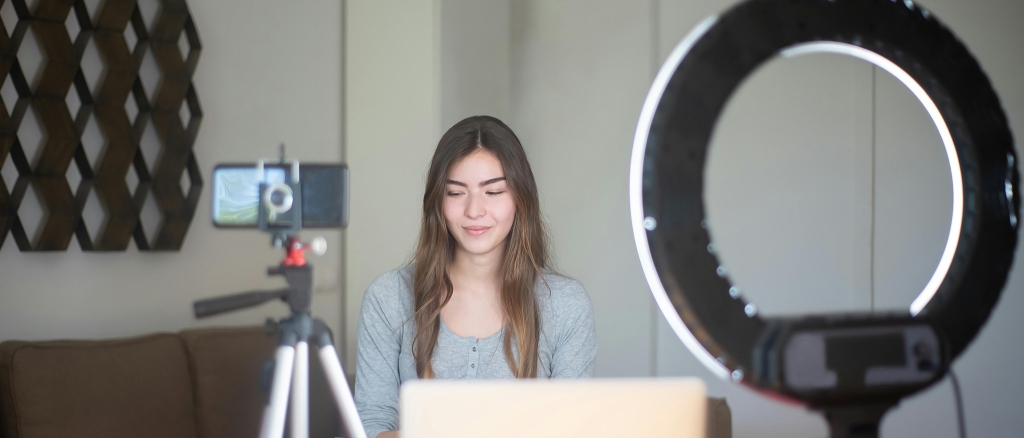
YouTube has built one of the best collections of artificial intelligence tools within YouTube Studio to date but not many creators utilize them to their fullest. However, it’s an important aspect to consider because the tools mentioned below will help you optimize your content, increase the number of clicks, boost watch time, get more views, increase the number of countries where your content gets distributed, etc.
In other words, they’ll be helping you grow. Here is a complete list of the features and ways on how to start using them right now.
Impact of YouTube Studio AI Features on Key Metrics
FeatureDescriptionImpactKey Metric
Inspiration Tab
AI video ideas from your content + comments
CTR +90%
Thumbnail A/B Testing
Test two thumbnails — YouTube picks the winner
CTR +2x
Auto Chapters
AI breaks videos into searchable segments
Watch Time ↑
Auto Dubbing
Dub your videos into 9+ languages automatically
Global Reach ↑
Auto Captions
AI subtitles improving accessibility + SEO
SEO ↑
Bar length indicates relative impact strength
The Inspiration Tab – No More Lack Of Video Ideas!
The Inspiration Tab became one of the most valuable tools to use on YouTube back in 2025 and since then it helped thousands of creators generate great ideas for the upcoming videos. The way it works is pretty simple. All of the features combined with AI technology allow you to get personalized video ideas.
This is not just another “top trending videos” kind of list. Instead, this tab will analyze comments and trending topics related to your niche and provide you with some unique ideas. In other words, all of those ideas will be created according to what your audience is interested in.
As the story says, one creator known as Sambucha (he has over 10 million subscribers on his channel) had tried to use the Inspiration Tab and found out that it recommended him buying products that looked absolutely fake and unrealistic. So, Sambucha decided to follow the suggestion and bought the product that looked like a giant gorilla. To his surprise, it was real and he had to film himself using the sofa. In a few months after that video, the video gained nearly 7 million views!
How to access it: Go to YouTube Studio -> Content -> Inspiration tab.
A/B Test Thumbnails — Let Data Decide What Wins
Thumbnails play the most critical role in your CTRs. Just a couple of percentage points of difference in CTR can have exponential impact in the long run – a video with 6% CTR instead of 4% CTR will attract approximately 50% more views over time with the same impressions.
With YouTube’s new Test and Compare feature, you are able to upload two different versions of your video’s thumbnail and compare performance with real traffic. In the end, the winner gets automatically served more impressions thanks to machine learning algorithms used by YouTube.
It’s like taking all guessing out of the equation because you don’t have to guess what people would click anymore – just test it with your actual audience and see. This tool ranks up among the most advanced tools released for YouTubers by AIR Media-Tech and you can use it right from YouTube Studio.
How to use it: Go to YouTube Studio → Content, select any video of yours, scroll down to the thumbnails, and look for Test and Compare button. Then choose two different thumbnails and wait at least for a week before analyzing the results.
If you wish to analyze thumbnails performance for ideas and inspirations prior to creating your own thumbnails, feel free to use our free YouTube Thumbnail Downloader that allows pulling thumbnails from any video on YouTube with a single click.
Auto Chapters – Make Your Videos Searchable & Watchable
YouTube’s AI automatically analyzes your video’s structure and separates it into labeled chapters with time stamps. As a result, your video receives clickable chapters in the video progress bar, which show up as separate jump links in Google search results. This means that people searching for a sub-topic from your video can immediately get to the exact point that interests them without watching the entire video.
There are two benefits of using auto chapters. First of all, it improves your watch time because it allows viewers to navigate to specific parts they are interested in instead of closing your video. Secondly, each chapter adds an extra keyword to your video’s keyword data in YouTube’s index.
If you have a good structure of your videos (multiple topics discussed), then it is likely that YouTube’s AI will do a pretty good job of labeling video chapters. Alternatively, you can add chapters manually by specifying timestamps in video description.
How to use it: Go to YouTube Studio → Content → Edit Video → More Options, and make sure Allow automatic chapters is turned on.
Auto Dubbing — Connect to a Global Audience Effortlessly
Auto dubbing technology is now live for all creators earning money with their YouTube channels in the YouTube Studio interface. AIR Media-Tech It translates and dubs your video content in several languages including Spanish, French, Italian, German, Portuguese, Japanese, Indonesian, Hindi, and English with others coming soon.
The quality of translation has become so much better compared to the beta version. It still might feel machine generated in some languages but the usefulness of this feature should be obvious to you. A video that does well in English can instantly expand to another audience in Brazil, Japan, Germany, etc. without making any further effort.
Instead of relying on this feature as the final solution for international growth, you should consider using it to discover which language(s) can bring you more views. Once you see that your video gains traction among certain regions, you should focus on making localized videos there.
How to activate: Go to YouTube Studio → Settings → Upload Defaults → Advanced Settings and enable Allow Automatic Dubbing.
Auto Captions — Searchable Videos That Are Accessible Too
YouTube has been providing auto captioning for quite some time but its accuracy and capabilities have been increasing gradually. YouTube automatically generates captions for almost all types of videos, and its AI has made huge improvements in generating transcriptions of difficult accents, speech speed, and technical words.
SEO-wise, auto captions give YouTube AI an entire transcript of the video and that means it indexes every single thing you say in it. An expertly spoken video on a particular subject matter creates its own search index thanks to captions alone. Not only do they allow YouTube to find all relevant information about your video but it also makes it easier for users to find it.
Accessibility-wise, auto captions make your content viewable by deaf and hard-of-hearing viewers, as well as those without audio because of public transportation. YouTube recently rolled out expressive captions that provide an extra layer of context to captions with animations of text.
How to utilize them: Go to YouTube Studio → Subtitles, pick a video, then review and correct the AI-generated captions.
Dream Screen — Visual Backgrounds Created With AI’
Dream Screen is YouTube’s most visually oriented AI feature and it is tailored specifically for Shorts creators. All you need to do is enter your creative idea and Dream Screen creates a background within seconds. AIR Media-Tech Imagine you want to shoot a video of yourself in front of a nighttime Tokyo street or a cartoon world or even a realistic forest scene. You just need to input your idea and Dream Screen creates it for you.
Dream Screen received a major update thanks to the inclusion of Veo 2 AI. Now it allows more realistic short video clips to be created due to enhanced comprehension of complex cinematography techniques. Universal Music for Creators In addition, you can combine multiple dream screens, create 6-second AI-generated videos, and generate animated backgrounds that align with your story.
This feature is currently available in US, Canada, Australia, and New Zealand. In other words, a worldwide roll-out is planned very soon. If you are in a supported country, this feature is an amazing opportunity for small creators with no budget for studio shoots to create stunning visuals.
How to use it: Start a Short in YouTube’s app and select Dream Screen from the background selection menu.
AI Music Composer — Generate Royalty-Free Tracks for Your Video
There’s an AI music composer in YouTube’s Studio right now, currently in its early testing phase. Simply describe the desired mood of the track and let the AI generate the piece of music itself.
It sounds like YouTube is creating a pipeline for its creators where they can generate their own royalty-free music without exiting Studio. This will be very convenient for those creators who currently have problems with YouTube’s Content ID system blocking the background music on some of their videos.
But right now YouTube’s Audio Library contains thousands of completely free tracks that you can use in your videos without having to worry about them being blocked by YouTube. It’s not generated by AI but is organised rather nicely.
Ask Studio — AI Assistant for Your Channel
YouTube introduced an official chatbot powered by AI called “Ask Studio”. The idea here is to give YouTube creators a chance to get some answers concerning their channels directly through Studio. It can answer any possible question related to the features of YouTube and its statistics.
It can help creators solve a problem or understand why their video received certain statistics on YouTube. It’s like an assistant who will give you all the information about your channel and YouTube. TechCrunch
How to find it: Look for the Ask Studio icon (sparkle icon, usually).
How Do They Work Together
The main idea is to combine all of these features into one workflow.
Step
Feature
What it does for your growth
Before you film
Inspiration Tab
Gives you data-backed video ideas your audience actually wants
After upload
Auto Chapters
Makes your video searchable for specific sub-topics
After upload
Thumbnail A/B Test
Maximises CTR with real data instead of guesswork
After upload
Auto Captions
Builds a full-text search index from your spoken content
After upload
Auto Dubbing
Unlocks international audiences with zero extra effort
For Shorts
Dream Screen
Creates professional-looking AI backgrounds without equipment
Work through this checklist on your next upload and you’ll be using YouTube’s AI toolkit properly — most creators still skip the majority of these steps.
Tracking Your Progress
Everything mentioned above affects one basic metric: CTR, watch time, and subscriber count. To monitor progress in these metrics, YouTube provides a detailed overview of clicks, average view durations, impressions, and traffic sources in its Analytics section in YouTube Studio.
For those who prefer up-to-date metrics that show how many subscribers they have compared to others in their industry, our YouTube Subscriber Count tool offers a live view thanks to real-time data retrieval from the YouTube API.
Frequently Asked Questions
Have any questions?
All the questions & answers you’re looking for
Still have Questions
Get all the answer from our sales team who are available 24/7
Is everything mentioned here provided by YouTube for free?
Indeed, the majority of all listed AI features is available for creators absolutely free within YouTube Studio, except when you need to participate in the YouTube Partner Program to monetise your videos.
Do I need a certain number of subscribers to use some of these features?
Mostly no — the only thing is that some features might require your channel to be monetised (Auto Dubbing). Others like A/B testing (Test and Compare) are being rolled out gradually across the platform. The Dream Screen option is currently offered in select countries.
What is going to happen with my SEO when using auto-generated captions?
In case the auto-generated captions contain mistakes, they would harm SEO performance compared to not having captions at all. Please double-check them, particularly when it comes to proper names or products, and adjust the text if necessary.
How long do I need to run a test for thumbnails to see results?
As a minimum, you should wait until your video gets 7 days. However, it is better if the number of impressions is higher to be able to draw statistical conclusions. YouTube selects the winner automatically whenever there is enough data. You are also welcome to do it manually.
Will Auto-Dubbing affect my income?
No, since dubbed videos would serve as separate audio tracks of your original video, while your ads would work normally with any language version.
How to Make Money on YouTube
Have you ever wondered how top YouTube earners make tons of money every year? YouTube legends Mr. Beast, Jake Paul, and Nastya earn between $20 to $80 million annually. That’s because their earnings come from not one but multiple income streams.
In 2025, there’s more than one way to earn money on YouTube. Earlier, most YouTubers made a share of their revenue from YouTube ads and partner programs. While they are still an integral part of getting paid on YouTube, they’re not the only ones.
Want to know how to make money on YouTube? We’ll show you the best and most effective ways to start earning on YouTube in 2025.
First Up: Sign Up for the YouTube Partner Program
The YouTube Partner Program (YPP) is your gateway to getting paid on YouTube. It opens up creators to several money-making possibilities—whether you want to make money from addictive YouTube Shorts or informative, long-form videos.
In the past three years alone, YouTube has paid its creators over $70 billion in revenue. You, too, can be one of them. Once you sign up for this program, there are a ton of revenue options to explore, such as:
Displaying ads during YouTube videos or Shorts
YouTube Premium subscribers who get access to your exclusive content
YouTube Shopping to sell merch or other products to your viewers
Channel membership features to earn money from Super Chat and Super Thanks
Apart from the above revenue streams, you can access several creator tools. We’re talking about YouTube’s creator support and Copyright Match tool, which lets you identify copied videos from your channel. This ensures that only you—and no one else—can make money from your content.
How Do I Join the YouTube Partner Program?
Is joining YPP as easy as they say? Well, yes, so long as you meet the eligibility criteria. First up, get ready for some number crunching and see if your channel hits these milestones:
You need at least 1,000 subscribers on your channel.
You need to have racked up at least 4,000 watch hours in the last year (12 months).
Or, you need to have at least 10 million views on your Shorts in the past 90 days.
You must also live in an eligible region to qualify for the program.
Does your channel tick all the boxes? Great. Head over to YouTube Studio to apply for the program. This is also where you’ll see all your earnings at a glance. Once you apply, YouTube tells you whether they’ve accepted you into the program within a month.
In the meantime, check if you qualify for YouTube’s other monetization features. Yes, you got that right. Even without hitting the above milestones, you may be able to start earning on YouTube. Its channel memberships, chat, and shopping features are all open, even if you have 500 subscribers.
Additionally, you must have uploaded at least three pieces of content in the last 90 days. You must also have 3,000 watch hours in the last 12 months (or 3 million views on Shorts in the past 90 days). Here’s a table that breaks down all the elements of the YPP:
Still short on watch hours? Consider a practical solution to buy YouTube watch hours and quickly qualify for monetization.
Monetization Path
Subscriber Eligibility
Watch Hour Eligibility
Shorts Views Eligibility
Other Qualifications
YouTube Partner Program (YPP)
At least 1,000
4,000 hours in the last 12 months, OR ->
10 million views in the last 90 days
Must live in an eligible region/country
Alternate Monetization Features
At least 500
3,000 hours in the last 12 months OR ->
3 million in the last 90 days
Must live in an eligible region/countryMinimum three uploads in the past 90 days
Start Airing Ads on Your YouTube Videos
So, you’ve been welcomed into YouTube’s Partner Program—excellent! Now, you can start collecting revenue from your channel’s ads. To do this, you need to create a Google AdSense account from within YouTube Studio. Next, link your account to your YouTube channel and wait for AdSense to approve your application.
Once approved, you can turn on ads on YouTube and start running them. For example, when you make a long-form video, YouTube will display a mix of ads to your viewers. While you can’t control the ads you display, you can decide where to place them—at least for videos eight minutes or longer.
The more content you post, the more ads YouTube will display—maximizing your revenue greatly. Some videos may not generate as much revenue as others, but don’t worry. This is your chance to experiment and see what works best with your audience. You can see your share of earnings in your YouTube Studio under the Revenue tab.
If you’re struggling to meet YouTube’s Partner Program criteria quickly, a proven strategy is to buy YouTube views—kickstarting your channel’s growth and increasing your potential earnings faster
Collaborate With Brands and Earn Money From Sponsored Videos
In 2022, tech channel Unbox Therapy became the leading collab creator in the U.S. and Canada with 45 brand collabs. So, if you thought brand collaborations were only for TikTokers and Instagram influencers, that’s not true.
A study shows that brands that collaborate with YouTube creators are 4X better at increasing brand familiarity than celeb collabs. And mind you, they pay big—especially when they realize your channel has a growing, niche audience worth tapping into. If you’re a fledgling channel, you may need to pitch brands to gain sponsorships. But once you gain enough traction, brands will come knocking!
As such, companies will sponsor your videos while you promote their products. Or, they may offer barter deals. For example, if you’re a tech channel, you may receive the latest gadget from a brand in exchange for a shoutout in one of your videos. The bottom line is that brand deals can get you anything from per-sale commissions to free products and hefty payouts. Of course, you must notify your audience about brand sponsorships by checking a box in your video caption.
Pitching a Brand for Collaboration
Now is the time to be bold and get that brand sponsorship! If you’re interested in working with a brand, get in touch with their marketing team. Send them a personalized pitch with the following details:
Give them a glimpse of your channel’s impressions and metrics, even if it’s not yet big. Brands often work with nano-creators, too. Add details like your channel’s subscribers, number of views, and audience demographics.
Outline why your channel and the brand would be a good fit. Highlight common interests and audience overlap, and explain why you’re the right channel for their brand or product.
Shine a light on past successful collaborations—they act as social proof and can add weight to your pitch.
Don’t just talk about your channel; show them how their brand can benefit from the collaboration, too!
Share specific ideas for the collab—whether it’s a product giveaway or a contest. It shows brands that you’re proactive and mean business.
Include a clear call to action and invite them to schedule a call to discuss further details.
Be ready for a few initial rejections, but don’t take them to heart. Keep working on your content and send those pitches as your audience grows. Remember, the worst they can say is no.
Earn Commissions Via Affiliate Marketing
Affiliate marketing is a great way to earn passive income from your channel. If you follow MKBHD on YouTube, you know what we’re talking about. The prominent tech reviewer earns millions yearly, with a substantial portion of his earnings coming from affiliate tech links. The best part is that affiliate marketing benefits all involved—you, your audience, and the brand you’re recommending!
This is how it works—you recommend a product or service you’ve tried or know about. If it interests your viewers, they can buy the product through your affiliate link. As a result, you earn a commission from the sale. All you need to do is sign up for the brand’s affiliate program.
Once you’re accepted, you get a special affiliate link for each product. It’s up to you how you want to promote these products in your video—but include the affiliate link in its caption so your viewers can buy from it.
Here are some things to note about YouTube affiliate marketing:
Brands have various commission structures for affiliate sales. Do your own research before you sign up for an affiliate program.
Ensure that the products you’re promoting are relevant to your audience. For instance, if you have a YouTube cooking channel, you don’t want to promote car accessories or gaming consoles. Instead, cater to your audience’s interests. Sign up for brands selling kitchen gadgets or accessories your viewers would find useful and worth buying.
If possible, try a product before recommending it. After all, you want your audience to trust and buy from your links. Accidentally pushing a poor product can dilute their trust and hurt your channel.
Be sure to disclose that you may earn a commission from your affiliate products.
Make Money From Loyal Followers: Channel Subscriptions and Memberships
Your audience follows you for your unique content, but guess what? Some followers may be willing to pay a premium to access more exclusive content. That’s why a membership model is a great opportunity to grow your fan base and make more money while at it.
Fans of your channel can sign up for a monthly subscription—as one does with Netflix. In return, you can offer them a range of members-only perks, including:
Members-first content that’s revealed to members days before the regular audience
Product deals and discounts
Q&A access
Live stream access
Behind-the-scenes footage
Live chats
This is an indicative list, but you can do much more to build a relationship with your paid subscribers. The great thing is that such subscriptions help you generate a fixed monthly income.
How to Get Paid Subscribers or Memberships
Some YouTubers use third-party platforms like Patreon to garner subscriptions. However, YouTube also has an internal channel subscription model for those parts of its partner program. It also offers fan funding features that can get you tips and bonuses.
For example, when streaming live, your viewers can send you money through Super Chat, Super Stickers, and Super Thanks. In return, YouTube highlights these viewers’ comments in the chat box.
Besides Patreon and YouTube, you can get tips or donations from your fans through funding platforms such as:
Tipeee
Ko-Fi
Buy Me a Coffee
A golden rule of fan funding: don’t ask, don’t get. So, don’t shy away from marketing yourself and explicitly asking for donations from viewers who want to support your content.
Promote and Sell Cool Merchandise
Swedish YouTuber PewDiePie makes a lion’s share of his income from selling branded merch. You’re probably thinking: Of course, people buy his merch; he’s a literal legend. Who’s going to buy mine? Well, lots of people, especially your followers.
You can sell merch even if you have a small yet engaged community of followers. Just find a product that resonates with your followers and market it in your videos every chance you get. For instance, if you have a yoga channel, you could promote merch such as:
Yoga mats
Eco-friendly water bottles
Comfortable activewear
Cork yoga blocks
If selling physical products is not feasible, you can easily sell downloadable merch or services such as:
Short e-books with yoga exercises
Virtual classes
Yoga journals
Digital pose guides
The sky’s the limit as long as you have the drive to sell.
But before you open up your channel to merch goods, here’s what you need to keep in mind:
Set up a secure payment portal and make it easy for potential customers to pay. YouTube mandates using an approved merch platform such as YouTube Merch Self. You can sync it with on-demand print services such as Spreadshop and Printify.
Connect a merchandise partner’s store with your channel through YouTube Studio. You can find this function under the “Earn” tab, and it is available to eligible creators.
Launch an exclusive pre-sale on your merch store for your members. Doing so will generate FOMO among other subscribers that convert into more memberships.
Lesser-Known Ways to Earn Money From Your YouTube Channel
Being a YouTuber is now a legit profession—and a lucrative one at that. If you’re seeking more ways to earn money off your YouTube channel, we’ve got you.
License Your YouTube Content
It’s not just followers and regular viewers looking for viral YouTube content these days. News channels, online outlets, and even other creators may want to showcase your content, especially if it’s trending. And guess what? If they want to use it, they must legally license it from you in exchange for money.
Stay a step ahead and enlist your videos in licensing marketplaces like these:
Storyful
Jukin Media
ViralHog
Newsflare
Crowdfund Your YouTube Projects
Want to make your next viral video but don’t have the capital to fuel it? Crowdfund it! Many YouTubers crowdfund their creative projects, whether to cover production costs or start a YouTube series.
Of course, you must first have a concrete project in mind before you ask your audience to pitch in. Next, explain what you’re building and how you plan to go about it. You’d be surprised at how many viewers show interest and contribute to making it happen. Popular crowdfunding sites like Kickstarter and Indiegogo allow you to set up funding options easily.
How Much Money Can I Make From My YouTube Channel?
It’s hard to put a number on YouTube revenue, as the figure varies widely. But some experts estimate that there’s a chance to earn anywhere between $30 to $300 monthly from AdSense.
The real deal? Making money on YouTube boils down to a combination of factors, from engagement to niche—and sheer luck. You may have heard stories of overnight success, but these are rare. One thing is non-negotiable, though—you need to put in the work, make smart moves, and stay consistent. While you may not be able to control your earnings directly, you can influence them. Here’s how.
Tips on How to Make Money on YouTube
Choose a lucrative niche for your channel—one that also overlaps with your interests and talent. Love vlogging? Find out what people like to see. Love tech? See if there are any industry gaps that you can fill with your content. Tech, finance, beauty, health, and gaming are some of the most profitable niches right now.
Focus on quickly increasing your viewers, watch hours, and subscriber count. Doing this will catapult you into the YPP program, and you can start making money sooner.
Give audiences what they want. Use tools like YouTube Analytics and Google Trends to identify and plan your content around trending topics. This will also help you identify opportunities for affiliate marketing and brand merchandise.
Make a brand wish list that outlines all the brands you wish to work with. Match your interests and audience data to see if they overlap. Send that collab pitch.
Make full use of info cards on YouTube to drive sales. These interactive panels allow you to post clickable links to affiliate brands, merch websites, or other revenue sources.
Don’t forget to cross-promote. Many YouTubers consistently post snippets of their videos on social media like Instagram or TikTok. This can help you diversify your audience and win more subscriptions.
Looking for a quick engagement boost? You can easily buy YouTube likes to attract more organic interactions and elevate your videos’ credibility
Increase Your Chances of Earning on YouTube Today!
There’s no better time to start earning on YouTube. The platform rewards nascent creators with high payouts so long as they bring the views and audience. Thanks to YouTube’s versatile payment structure, you can also earn from multiple income streams. The earlier you launch your channel, the sooner you’ll start building a community that rewards your efforts. Become an independent creator and start making money from YouTube today!
What is the number of views I need to get paid on YouTube?
If you want to earn from long-form videos on YouTube, you need at least 4,000 public watch hours in the last 12 months. To earn through Shorts, you need at least 10 million views in the last 90 days.
What are the basic requirements to start making money on YouTube?
You must be eligible for its partner program to start making money on YouTube. The program mandates you have at least 1,000 subscribers and 4,000 public watch hours for long-form videos in the last 12 months. For Shorts, you need 10 million views in the last 90 days.
How do I know that my channel is eligible for YouTube earnings?
When you’re eligible for YouTube earnings, you can display ads on your channel and earn from them. You can track your ad revenue on YouTube Studio.
What is the easiest way to earn money on YouTube?
Ad revenue is one of the easiest and most popular ways to earn on YouTube. Once you’re eligible, you can display ads on your videos. The more viewers watch your videos (and the ads), the more money you earn.
How much do beginners make on YouTube?
Beginner YouTubers who meet the basic requirements of YouTube’s Partner Program can earn at least $50 per month. This amount may be higher depending on your channel’s view count. For example, beginner YouTubers with more views and watch hours can earn up to $300.

 Twitch
 Convert Twitch Bits to USD
 Find Channel ID
 Twitch
 Buy Twitch Followers
 Youtube
 Buy YouTube Likes
 Buy Youtube Subscribers
 Buy YouTube Watch Hours
 Kick
Kick Buy Kick Followers
 Convert Twitch Bits to USD
 Download Twitch Clips
 Download Twitch VODs Instantly
 Kick VOD Downloader
 Kick Clips
 Find Channel ID
 Best Time to post on youtube
 Is YouTube Down?
 YouTube Giveaway Picker
 YouTube Money Calculator
 YouTube Restriction Checker
 YouTube Subscriber Count
 YouTube Subtitle Downloader
 YouTube Tag Generator
 YouTube Thumbnail Downloader