As the biggest competitive gaming event Twitch Rivals lets you watch your favorite streamers compete against each other in some of the most popular games on Twitch in 40+ tournaments with prize pools worth thousands of dollars in 2026.
To start with, Twitch Rivals is a tournament series on Twitch itself. The main difference Twitch Rivals has from e-Sports tournaments lies in the fact that it doesn’t use professional gamers to play and show skills, but uses some of the most popular personalities among Twitch streamers and the ones attracting the audience to their channels.
The combination of competitive nature, high stakes involved and participation of the favorite streamers are the factors that make this series special for the viewers. Watching a popular streamer winning a million-dollar tournament with outstanding skills is something no ordinary gamer can provide.
📅 Where It All Began
Twitch Rivals tournament series has started on February 28, 2018. In total there were 38 tournaments held and more than 800 twitch affiliates and partners participated in the competitions.
Judging by this initial part of the story, Twitch Rivals hasn’t been very big yet, however, it still had attracted enough attention and gained incredible popularity over the next few years. Starting from 2019, the organizers have decided to make it bigger, declaring that there would be more than 100 tournaments held that year.
There was also some development regarding the games included, as the tournament mostly involved Battle Royale titles in 2018, however, new titles such as League of Legends, Teamfights Tactics, Apex Legends and others appeared in 2019.
The key milestone in the history of Twitch Rivals occurred in 2019 during TwitchCon in San Diego. Here the first-ever LAN event was organized in order to attract even more audiences and increase their engagement. On this occasion there was held a LAN competition of Twitch Rivals, which included professional players and had prize pool of two millions dollars. Those who took part in this event were such celebrities as Tfue, Dr DisRespect and Grayson Allen.
🏆 The Biggest Events in Twitch Rivals History
Over eight years, Twitch Rivals has produced dozens of memorable events. These are the ones that defined the series.
TwitchCon 2019: The First Large-scale Live Stream Event
This event established the direction where Twitch Rivals were going to evolve further. There were three main games played during this event over the course of two days: Fortnite, League of Legends (with Teamfight Tactics), and Apex Legends. Quite an interesting range of people participated, and it was estimated that around a third of all TwitchCon visitors joined the event in some way. Just the Fortnite team competition alone included well-known streamers such as Tfue, TimTheTatman, Nickmercs, SypherPK, DrLupo, Myth, and NickEh30.
Squid Craft Games: The Streaming Event of All Time Champion
This series of events is widely seen as a defining moment in Twitch Rivals history. Inspired by the popular Netflix show and played in Minecraft with 200 participants, the first event set impressive viewership records and raised the bar for future tournaments. Squid Craft Games 2, which took place between February 28 and March 5, 2023, also featured 200 participants and remains one of the most followed Twitch Rivals events.
Squid Craft Games 2
“the event brought in around two million viewers” early on and quickly became one of the most watched streaming events. Sapnap won the competition and took home the $100 thousand prize, while Shadoune finished in second place. The participant list included many of the biggest names in streaming, such as xQc, Pokimane, Dream, GeorgeNotFound, Ibai, Amouranth, Moistcritical, Quackity, IlloJuan, and others.
Most of the highest viewed Twitch Rivals events are dominated by the Squid Craft Games series, with Squid Craft Games 2 and Squid Craft Games 3 leading the rankings, followed by Squid Craft Games ft. Komanche in third place.
Rust Team Battle: The Chaotic Twitch Rivals Series
While Squid Craft Games focused more on strategy and structure, the Rust Team Battle series gained popularity for its unpredictability and chaos. These events were less about careful planning and more about raw, unscripted moments that kept viewers entertained. Jericho became a regular participant and brought a strong fanbase along each time, adding even more energy to the matches.
GeoGuessr Duos 2026: The Most Recent Twitch Rivals Event
One of the latest major events was hosted by Joe Bartolozzi. Caedrel and Ludwig came out on top in the Twitch Rivals GeoGuessr Duos tournament, losing just one round throughout the entire competition. They secured the $100 thousand prize and also earned an invitation to the GeoGuessr World Championship 2026 in Berlin. On their way to winning the title, they defeated teams like Yugi2x and Arky, as well as Jynxzi and ohnePixel.
💰 Prize Pools – The money breakdown year by year
The twitch rivals prize pools are highly varied and can range from small scale 25000 dollars prizes all the way up to huge six figure prize pools. Below is a list of some of the largest prize pools held under the twitch rivals program.
Event
Year
Game
Prize Pool
Winner
TwitchCon Fortnite
2019
Fortnite
$1,000,000
Tina, Rhux & 1400pika
TwitchCon League of Legends
2019
League of Legends
$500,000
Multiple Teams
TwitchCon Apex Legends
2019
Apex Legends
$500,000
Multiple Teams
Twitch Rivals Fortnite
2020
Fortnite
$400,000
Multiple Teams
Twitch Rivals Valorant
2021
Valorant
$100,000
Multiple Teams
Twitch Rivals Warzone
2021
Call of Duty: Warzone
$150,000
Multiple Teams
Squid Craft Games
2022
Minecraft
$100,000
AuronPlay
Squid Craft Games 2
2023
Minecraft
$100,000
Sapnap
Squid Craft Games 3
2023
Minecraft
$100,000
TBD
Twitch Rivals Fortnite
2024
Fortnite
$100,000
Multiple Teams
Hunt & Run ft. IlloJuan
2024
Minecraft
$50,000
Multiple Teams
Twitch Rivals Fortnite
2025
Fortnite
$145,000
Multiple Teams
GeoGuessr Duos
2026
GeoGuessr
$100,000
Caedrel & Ludwig
The Twitch Rival prize pools have been happening from may 2018 up until 2025 in various game types and genres. All the prize money that has been accumulated so far is easily into the millions of dollars and stands out as one of the biggest programs for creators in history.
🎯 The Games That Defined Twitch Rivals
One of the things Twitch really got right with Rivals was not tying it down to just one game. Over time, the event has featured a wide mix, including Fortnite, League of Legends, Teamfight Tactics, Apex Legends, Call of Duty Warzone, Valorant, Minecraft, Ultimate Marvel vs. Capcom 3, Chess.com, and Escape From Tarkov.
Because of that, Twitch Rivals has been able to keep up as streaming trends changed. When Battle Royale games were huge from 2018 to 2020, Rivals leaned into that. When Among Us took over in 2020 and 2021, it adapted. Then came the Minecraft boom from 2022 onward, and again, Rivals followed the shift. Whatever game big streamers are playing, Twitch can usually turn it into a competitive event pretty quickly.
Fortnite led the way early on and is still one of the most consistent games in the lineup, with events continuing through 2025. Minecraft became a major part of the most watched period, especially with the rise of Squid Craft Games. Valorant brought in a more competitive and strategy focused crowd. And GeoGuessr, which nobody really expected to take off in this format, has ended up delivering some of the most interesting recent events.
⭐ Notable Streamers and Their Twitch Rivals Records
Streamer
Notable Events
First Appearance
Games Played
xQc
Squid Craft Games, Rust Team Battle, Multiple Events
2019
Minecraft, Rust, Fortnite
Pokimane
Squid Craft Games 2, Among Us, Valorant
2019
Valorant, Among Us, Minecraft
Tfue
TwitchCon 2019 Fortnite, Multiple Fortnite Events
2019
Fortnite
TimTheTatman
TwitchCon 2019 Fortnite Trios
2019
Fortnite, Call of Duty
Nickmercs
TwitchCon 2019, Warzone Events
2019
Fortnite, Warzone
SypherPK
TwitchCon 2019 Fortnite Trios
2019
Fortnite
Jericho
Rust Team Battle, Multiple Competitive Events
2020
Rust, Escape from Tarkov, Minecraft
DrLupo
TwitchCon 2019 Fortnite, Battle Royale Events
2019
Fortnite, Destiny
Ludwig
GeoGuessr Duos 2026 Winner, Chess Events
2021
Chess, GeoGuessr, Among Us
Sapnap
Squid Craft Games 2 Winner $100K
2022
Minecraft
Dream
Squid Craft Games 2, Minecraft Events
2022
Minecraft
GeorgeNotFound
Squid Craft Games 2, Dream SMP Events
2022
Minecraft
Ibai
Squid Craft Games 2, Spanish-language Events
2022
Minecraft, League of Legends
Amouranth
Squid Craft Games 2, Multiple Events
2022
Minecraft, Various
Moistcritical
Squid Craft Games 2, Variety Events
2022
Minecraft, Various
Quackity
Squid Craft Games 2, Minecraft Events
2022
Minecraft
IlloJuan
Squid Craft Games 2, Hunt & Run 2024
2022
Minecraft
Caedrel
GeoGuessr Duos 2026 Winner $100K
2025
GeoGuessr, League of Legends
Jynxzi
GeoGuessr Duos 2026 Semifinals
2025
GeoGuessr, Rainbow Six
NickEh30
TwitchCon 2019 Fortnite Trios
2019
Fortnite
Many Twitch Rivals streamers have appeared in different shows throughout their eight-year run; however, there are those who kept appearing and leaving the most lasting impression.
xQc
is definitely one of the streamers who made the largest number of Twitch Rivals appearances. He was involved in Squid Craft Games, Rust Team Battle, and many others and drew some of the largest audiences ever. Every appearance is event TV thanks to his intensity and his well-known unpredictable nature. Another great streamer whose appearances created huge expectations is Jericho.
One of the most popular characters in all of Twitch Rivals, especially when it comes to survival games, Jericho became one of the stars of Twitch Rivals Rust Team Battle events. He was known for his unpredictable personality, which brought a lot of fun to all Twitch Rivals spectators.
Ludwig
In 2026, Ludwig took first place together with Caedrel in the GeoGuessr Duos event, winning another prize in a series of competitions in the fields of chess, variety events, and others that he took part in over several years.
Sapnap will always be associated with Squid Craft Games 2. This record-breaking event is the brightest moment of all Twitch Rivals history. Among the famous international streamers who participated in Squid Craft Games 2, there was Pokimane.
It takes a lot of time for a streamer to build up an audience capable of attracting attention of brand representatives and leading to Twitch Rivals appearances. However, you don’t have to spend years building up your reputation from scratch. Buying Twitch viewers could help you get noticed.
🌍 How Twitch Rivals Went Global
One of the least talked about breakthroughs in Twitch Rivals’ history has been its global reach. The early tournament were predominantly English-speaking and centered around North America. This was revolutionized with the introduction of the Squid Craft Games series.
The roster included many international streams such as Ibai, AuronPlay, El Rubius, IlloJuan, TheGrefg, and Quackity in addition to the traditional English-speakers such as xQc, Dream, and Pokimane, not to mention some Latin American players from Argentina, Mexico, and Colombia. The end result was a game that would go on to be simultaneously the most-watched stream in several countries at the same time.
This global reach would continue even up until 2025 and beyond where tournaments have been organized specifically to draw communities from both Europe and Latin America. According to Esports Charts, the Squid Craft Games series has been the most-viewed of any Twitch Rivals tournaments to date, by a substantial margin.
📊 Twitch Rivals in 2025 and 2026
Hosting more than 40 events this year, Twitch Rivals remains the best place for live competitive gaming entertainment. In 2025, the Fortnite event hosted 133 participants who competed for $145,000 in cash rewards, making it the largest Fortnite Rivals prize pool in history.
The GeoGuessr Duos event in April 2026 featured a strong line-up of gamers and ended with the overwhelming victory of Caedrel and Ludwig who took home the $100,000 reward and also a VIP spot at the GeoGuessr World Championship in Berlin.
An upcoming Twitch Rivals game tournament will be held in late, 2026. According to the schedule, more events have been planned for the upcoming this year but the schedule is not public yet.
The formula created by Twitch in 2018 – a series of tournaments for streamers rather than for professional athletes – demonstrated great durability over time. After eight years of active use, Twitch Rivals continues breaking records in audience and creating memorable moments for gamers.
🤔 Why Twitch Rivals Matters for Streaming Culture
What Twitch Rivals is really doing is creating a cultural phenomenon that does something that traditional esports has been unable to accomplish before; it makes esports emotional.
The average viewer doesn’t need to know the meta of League of Legends to get excited about a Twitch Rivals League of Legends battle royale. All the person needs to know is which creators he supports. Once the stakes become personal in this regard, it makes each play meaningful.
That is why every single streamer involved in a Twitch Rivals event always experiences an increase in followers and viewers as soon as they participate in such an event. The amount of exposure that is received from participation in just one Rivals event is incomparable to anything else that happens on the platform to a single content creator.
For streamers looking to build the kind of audience that eventually gets noticed by Twitch and invited to competitive events, the path starts with building social proof — real viewers in your streams, a credible follower count, and enough channel activity to get picked up by the algorithm. Our guides on the best time to stream on Twitch and how Twitch Affiliate and Partner programs work break down exactly what it takes to build that foundation.
Frequently Asked Question
Have any questions?
We answer all the top questions about Twitch Rivals.
Still have Questions?
If you need any help, don’t hesitate to contact us.
Twitch Rivals began operations on February 28, 2018 with 38 events involving 800 Twitch affiliates and partners. Twitch Rivals has been running ever since and has now grown to over 40 events annually, reaching up to 2026.
How much money has Twitch Rivals given away?
The total prize fund from all Twitch Rivals events is counted in the multi-millions of dollars. Prize money per individual event varies from $25,000 for minor tournaments to $1,000,000 for major tournaments such as the 2019 TwitchCon Fortnite tournament. The 2025 Fortnite Rivals tournament had a prize pool of $145,000.
Who has won the most at Twitch Rivals events?
A few streamers have received considerable earnings from many tournaments. Sapnap earned $100,000 during Squid Craft Games 2 in 2023. Ludwig and Caedrel each earned $100,000 during the GeoGuessr Duos tournament in April 2026.
What kinds of games are played on Twitch Rivals?
Some of the most popular games played include Fortnite, League of Legends, Minecraft, Apex Legends, Valorant, Call of Duty: Warzone, Rust, Escape from Tarkov, Chess.com, GeoGuessr, and others.
How can I be invited to Twitch Rivals?
Your selection will depend on Twitch’s criteria including viewership, followers, and social presence. Twitch affiliates and partners stand a chance to participate. It would help to create a large audience of genuine viewers and consistent content creator.
Which Twitch Rivals event had the biggest viewership?
Squid Craft Games has the most popular events to date with Squid Craft Games 2 in February – March 2023 achieving over 2 million views during its first few days.
Is Twitch Rivals still going on in 2026?
Yes, the list of events in 2026 is already quite full. There are over 40 Twitch Rivals events planned for the year with an April 2026 GeoGuessr Duos event and Overwatch Showdown among the highlights.
Can any streamer compete in Twitch Rivals?
Twitch Rivals is an invite-only event that depends on Twitch’s criteria of choice. While some Twitch Rivals events have an open qualification round, the main events involve established players and streamers.
As a regular user of Twitch, chances are you have come across both terms used all the time. “Twitch Affiliate” and “Twitch Partner.” People use the two interchangeably, even though that couldn’t be further from the truth. Each program requires a lot more from you and offers completely different rewards.
Knowing the difference between the two can help you immensely regardless of whether you are just getting started in streaming, or you are already at Affiliate level working towards becoming a Partner.
In this guide, you will find everything you need to know about both programs and how you can progress to one much faster than the other.
🎥 What Is Twitch Affiliate?
This is the first tier in the monetization process, and it basically means that Twitch recognizes your channel has gained enough momentum to start making money for itself. And once you become an affiliate, you’ll get some tools that non-affiliates just don’t have.
Getting into the Twitch Affiliate Program requires nothing more than hitting the necessary criteria for membership. If you hit all of those, Twitch will contact you to let you know you’ve been invited.
Twitch Affiliate Requirements
You need to achieve all of the following within a 30-day window:
50 followers
500 total minutes broadcast
7 unique streaming days
Average of 3 concurrent viewers
These are realistic goals for any streamer with regularity. The majority of serious streamers should be able to reach Affiliate level in their first few months, sometimes even weeks. The most difficult goal to achieve will be the average number of concurrent viewers, as streaming into an empty room every day practically guarantees this will not change. This is precisely why a service such as buying Twitch viewers becomes helpful, providing your stream with the minimum amount of viewers necessary to achieve and sustain this average.
👀 What You Get as a Twitch Affiliate
As an Affiliate, the following features are unlocked on your channel:
Subscriptions – viewers can subscribe to your channel in three different tiers, including a monthly cost of $4.99, $9.99, and $24.99. The Affiliate earns 50% of each subscription, meaning you earn $2.50 from each Tier 1 subscriber.
Bits – viewers can use Bits while cheering in your chat, and you will get paid $0.01 for each bit. This is how twitch bits work.
Revenue from ads – as an Affiliate, you can have advertisements on your stream and you can make a percentage of the revenue from the ads shown during your streams.
Custom emotes – you can get up to five different custom emotes starting as an Affiliate.
Channel points – viewers can earn points while watching, and these points are used to get perks that you offer.
Commission on game purchases – when a viewer buys any game through your stream, you get a percentage of the sale made.
VOD Storage – as an Affiliate, your streams are automatically saved for 14 days before getting deleted.
Affiliate only streams – you can conduct streams which are meant for only your paying subscribers.
📅 What Is Twitch Partner?
Being in the Twitch Partner tier is the pinnacle of any Twitch creator’s success journey. This tier only goes to those creators who have established a true following and shown that they always create good content. It has many benefits, including higher income splits, more resources, and the official Twitch Partner badge, which you get along with your channel.
Unlike the Affiliate tier, becoming a Partner does not happen automatically once you meet the criteria. It requires applying via Twitch’s Path to Partner program, after which Twitch evaluates all applications. While meeting the metrics will be helpful, it won’t be enough, as Twitch also looks at the quality and consistency of the content you produce.
Twitch Partner Requirements
In order to apply for the Partner tier, you have to achieve the following numbers in a span of 30 days:
25 hours of streaming 12 unique streaming days 75 average concurrent viewers
The 75 average concurrent viewers number marks the point that most streamers have difficulty achieving. It is a considerable increase from the 3 average concurrent viewers of the Affiliate tier, and it takes a real fanbase to consistently achieve it.
What You Get as a Twitch Partner
The Partner program enhances nearly every feature you already get as an Affiliate, while also introducing additional tools and benefits that aren’t available at the Affiliate level.
Higher revenue split
Affiliates earn 70 percent of subscription money, while partners only receive 50 percent. For a channel that has 500 subscribers in Tier 1, the monthly income will be different by $500 just for subscriptions – $1,750 and $1,250 for affiliates and partners respectively.
Up to 60 custom emote slots
Compare that to 5 for Affiliates. More emotes mean more opportunities for subscribers to express their personalities within your community.
60-day VOD storage
your past streams stay on Twitch four times longer than as an affiliate.
Guaranteed transcoding
Stream quality is determined independently by the viewer and not by their internet connection. Priority transcoding for affiliates is not a sure thing. In contrast, Twitch ensures that Partners have multiple quality options available for their viewers.
Priority customer support
Partners have quick and direct access to the Twitch support team in case of any problems.
Verified badge
The purple tick icon beside your channel name tells viewers and advertisers that you have achieved the highest level of creators on the platform.
Multistreaming
streamres can stream on various channels, including YouTube and Kick, is permitted for partners if they abide by the Twitch Simulcast Policy.
Stream delay controls
useful for gaming in an environment where you don’t want the live stream of your game being used against you.
Stream teams
They can establish official teams for Twitch streaming on behalf of other content creators.
Affiliate vs Partner — Side by Side:
🎮 How to Reach Twitch Affiliate Faster
Affiliate is all about hitting numbers. Here is how to hit the numbers fast and not waste months streaming to nothing.
Consistently stream at scheduled times – Twitch favors consistency. The viewers who have found your channel before will be more likely to return knowing when to expect you. Schedule your streams in such a way that you can realistically commit to it and make sure to be consistent with your timings. Two or three streams per week should be enough.
Choose a less saturated category to stream – streaming Fortnite is basically a losing battle due to the sheer number of similar channels. Choose a different category that has low competition but you like playing. Read our guide on the best time to stream on twitch.
Don’t stop talking – the silence of a stream discourages viewers from staying there. Keep narrating yourself, asking questions, commenting, reacting. One of the easiest ways to retain your audience.
Build an audience on other platforms as well – share clips and highlight videos on social media. It will help you to attract more people to your streams and keep them active. Fast Affiliate is achieved only by those people who actively use more than one platform.
Use viewer boost to achieve your minimums – getting to 3 average simultaneous viewers is probably the hardest thing for most of the streamers who just started.
Building up a channel from scratch is a long process. With the help of a boost service from Streamerplus you’ll give your channel the required head start.
How to Reach Twitch Partner
But becoming a Twitch Partner is an even more difficult task altogether, and there is no automation involved in reaching the necessary numbers. In this section we will provide guidelines for applying to become Twitch Partner successfully.
Be ready for an evaluation well ahead of applying
since Twitch’s manual review process evaluates your channel in totality, streamers who apply for Partner status right when they manage to barely reach the minimum number of viewers often end up getting rejected. As far as general advice goes, most successful applicants have been recommending that one stays above the requirements for at least a month before applying.
Create an atmosphere of professionalism on your channel
production is an important factor when applying to become Twitch Partner. A consistent visual appearance, custom overlays, quality audio — all this indicates that you are serious about what you are doing and have invested significant resources into your work.
Build your community of viewers
a channel that has an active chat, people making in-jokes, and returning viewers for every stream is completely different from a channel which meets just the bare minimum requirements. Engaged community is important for Twitch as its presence implies more stable financial support for streamers.
Keep track of your growth and highlight it
many streamers share their growth statistics with the reviewing committee in their applications to Twitch Partner program. It is not necessarily required, but it can only benefit you to highlight that.
Apply to Partner through the “Path to Partner” dashboard
once you reach the required numbers you will notice “Path to Partner” section in your Twitch Creator Dashboard.
Re-apply if you fail
rejection means that you do not meet the required criteria yet. However, Twitch provides you with detailed explanations why you were turned down and gives you an opportunity to re-apply 30 days later.
Which One Should You Focus On Right Now?
As a newcomer, Affiliate is all that matters. It is realistic, it provides access to the resources needed to monetize, and the experience of reaching Affiliate status itself instills the discipline required to become a Partner.
Should you already be Affiliate, there is some distance between Affiliate and Partner, but it is definitely crossable. The distinction between the Affiliates that go on to become Partners and those that don’t lies not so much in talent, but in the capacity for patience and discipline. The ones who manage to reach Partner status are those that approach Affiliate status as a serious business venture from day one.
Both statuses are worth striving for, but Affiliate is where it starts, and Partner is where the proper income begins. The progression from Affiliate to Partner can be a tremendously gratifying experience for any
Frequently Asked Question
Have any questions?
All questions about Twitch bits answered, below
Still have Questions?
Get all the answer from our sales team who are available 24/7
Is it possible to skip Affiliate and become Partner directly?
Technically it is possible, if you already have a lot of views from other platform sources. For the most part, Affiliate is a mandatory stage, since the skills that will help become successful Partners should be acquired at this stage.
How long does it usually take to advance from Affiliate to Partner?
This depends greatly on the personal efforts of each individual. Some people manage to reach this goal within six months, while others require two or even three years. It all depends on consistency, growing off-platform and community engagement development.
Does Twitch reject any Partner applications for meeting metrics criteria?
No. However, this means that reaching this point allows a person to apply, but not necessarily guarantees the approval.
What will happen to me if I lose my viewership and fall below required numbers as Partner?
As a Partner, you cannot be deprived of your Partner status for one single bad month. If the channel does not maintain the quality and violates rules for a long time, then Twitch might decide to review the channel’s status, although this happens rarely.
Are Partners guaranteed a 70/30 revenue split as a minimum?
Yes, since the standard Partner contract is 70%. Of course, some very high volume Partners have their own agreement with Twitch, which can result in different percentages.
Can an Affiliate stream on another platform along with Twitch?
Of course, because Affiliates do not have any limitations regarding this aspect. Partners have some restrictions according to the Simulcast Guidelines of Twitch.
There is absolutely no doubt about that, breaking into the world of Twitch in 2026 is quite a difficult task to accomplish. Indeed, there are well over 7 million people streaming on the platform on a regular basis, trying to win themselves the attention of other Twitch users. However, there is nothing wrong with the content produced by these people. The problem lies with the platform itself, which makes it hard to attract views and subscribers organically.
As a result, many Twitch users decided to take advantage of the option to buy Twitch followers and/or viewers on the Internet. This, indeed, seems to be a valid solution if purchased through a reliable company that provides active Twitch users rather than bots. In this article, I will discuss why that is the case.
Twitch’s Algorithm Explained: The Problem with Growing on This Platform
One can say that, for the majority of Twitch users, promotion of a new channel is pretty much impossible. As stated above, Twitch is designed in such a way that its algorithm promotes streams that already have views. Thus, if a new channel has no views, it will hardly appear in recommendation lists or show up in categories.
In addition, research shows that Twitch users tend to ignore streams with low viewership rates, which is not surprising. Most of them will choose to watch a stream with 50 viewers rather than one featuring only 2 or 3 people.
All these factors make it hard for new Twitch channels to succeed. The only possible solution is buying followers or/and viewers from trusted companies.
Top 5 Advantages of Using This Service in 2026
Instant credibility – First and foremost, Twitch viewers and/or followers can provide your channel with credibility. Indeed, most Twitch users think of a channel with 5,000 followers as being more credible and trustworthy than one having only 50 followers.
Better visibility – Since Twitch tends to promote channels with high views and subscriptions, Twitch viewers will make your channel more visible to other users.
Faster Affiliate status – To get a Twitch Affiliate status, one needs to reach 50 followers, 3 average viewers, and stream for 500 minutes. The latter two are easier to achieve compared to growing your follower count to 50, which may take much time.
Easier growth – Once your channel gets established and becomes more attractive to other people, it is more likely to grow organically. Hence, initial Twitch followers will serve as a basis for more significant growth.
More earning potential – With a greater number of subscribers, Twitch users will start to notify other users about your streams, which may lead to earning money from your channel.
Top 5 Advantages To take
Higher ranking – Twitch ranks streams according to viewership. Hence, with more Twitch viewers on your channel, you will be higher in category rankings, thus becoming more visible.
More viewers – People want to watch something interesting. Therefore, Twitch streams with higher view rates can draw more people’s attention, and make them want to watch your channel.
Chat dynamics – Streaming to an empty room is hard for anybody. Even if there are a few Twitch viewers in your chat, the atmosphere changes dramatically. Furthermore, it makes other users feel like joining in the conversation.
Attractive to sponsors – When a brand wants to make some investment into the development of a Twitch stream, the number of viewers matters. Thus, a stream with 50–100 viewers looks more attractive compared to one with 2-3 viewers, although their content may be identical.
Positive impact on algorithm – Similar to viewers’ number, Twitch algorithm tends to give higher priority to channels with higher viewership rate. Thus, Twitch viewers’ purchase is another tool to get recognized.
Is It Safe? What Will Happen If Twitch Detects Bots
Yes, but only if you purchase viewers from the right company. In other cases, the service can be quite dangerous since Twitch strictly controls bot activities and bans accounts that use them. Therefore, there is always a risk that your account may be blocked if you use any kind of bots. This, however, should not be considered a threat since purchasing from a reliable company involves only genuine Twitch viewers.
How to Purchase Twitch Viewers or Subscribers Safely
When using a service for Twitch promotion, please pay attention to the following factors:
Only real users are purchased; there are no bots involved.
There is no need to share your password.
Subscriptions and/or views are added gradually, not instantly.
The company operates legally; hence, you know exactly how much you pay.
Customer support is available at all times.
Refund policy is clearly stated.
How Many Times Should I Purchase Twitch Followers or Views
Once again, there is no exact answer to this question. Generally speaking, Twitch newbies should get a necessary boost initially to make their channel more attractive. Later on, it might be useful to promote certain streams with viewers’ boost. More experienced Twitch users, however, use services like these much less often, and regard them as a marketing tool.
Twitch in 2026: How Things Have Changed and Why This Approach Works
First and foremost, Twitch is much more crowded nowadays than it was back in 2018. Besides, there are more competing platforms that attract creators as well as viewers. Hence, Twitch has become much more difficult to break into.
On top of that, it is more difficult now to grow organically because of the increase in number of channels. Therefore, such solutions become quite relevant because they give Twitch channels a chance to attract their audience initially. One can say that it is the same as promoting an online store via advertisement. Some users adopt that strategy, while others prefer to wait until they grow organically.
Sure, we all know that competition on the platform is fierce. And sure, we understand that getting a decent number of views isn’t easy for anyone who just started. This guide aims to give you actionable tips on getting more viewers on Twitch that actually work, so let’s dive in!
The Basic Principle Behind the Algorithm
First, here’s a brief overview of how Twitch ranks its streams. It’s sorted by the number of live viewers in a particular category. The streams with the highest viewer numbers appear on top. Those streams are then discovered by users who look through the category and decide which one to watch next. Consequently, a stream that appears higher on the list attracts even more views.
With that principle in mind, here are some tips on attracting more views that actually work
1. Strategies That Get More Viewers on Twitch
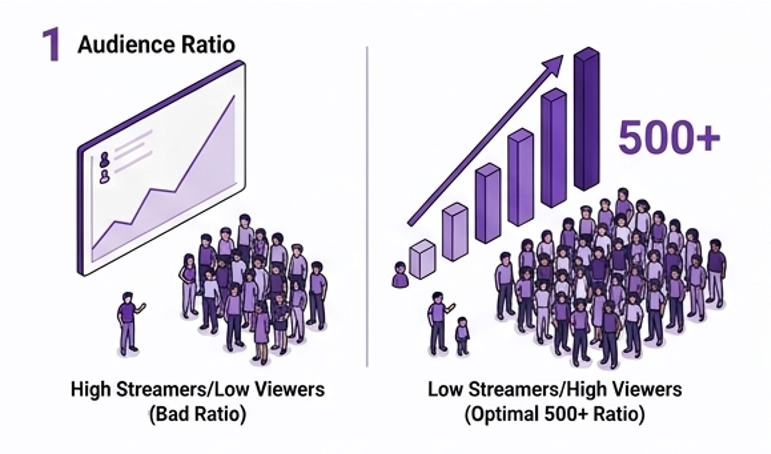
Choose Streaming Games With a Proper Viewer-to-Streamer Ratio One of the biggest mistakes many new streamers make is picking popular games in their categories. For instance, it would be pointless to stream Fortnite or Valorant if your channel has just 10 subscribers because you’ll be competing against dozens, or even hundreds, of established creators who have thousands of followers already. As a result, you’ll barely appear on the category pages, and users won’t even be able to find your stream.
On the other hand, streaming games that have just a dozen viewers and no streamers is equally meaningless because you won’t be able to reach the existing audience and grow your channel. What you want to do is choose streaming games with a large viewer-to-streamer ratio. To do this, check the number of viewers in a certain category and compare it to the number of live streams at the same time. Ideally, your game should have a ratio of 500+.
Understanding the targets that matter helps you measure progress. Here’s what you need to go from Twitch affiliate to partner. When you see if from this perspective the goal does not seem so far fetched.
Milestone
Requirements
What You Unlock
Twitch Affiliate
50 followers, avg 3 concurrent viewers, 500 mins broadcast, 7 unique broadcast days in 30 days
Subscriptions, Bits, game sales revenue
Twitch Partner
Avg 75 concurrent viewers over 30 days, 25 hours streamed, 12 unique broadcast days
Ad revenue, priority support, custom emotes
Monetisation (ads)
Twitch Partner status
Revenue share from ads shown on your stream
2. Set a Regular Schedule and Stick to It
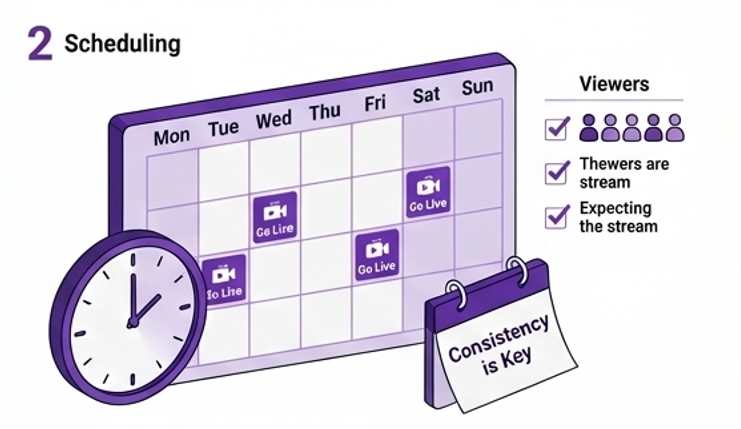
Consistency is key! It’s crucial for building trust with your subscribers and creating a loyal community that keeps coming back and inviting their friends to join you. So what’s better: live for three hours on Tuesday and Friday, or spend an hour on every single day? In the first case, your viewers will know what to expect from you. They’ll be able to plan their viewing schedule and come to your streams every single time, which is excellent for building a community.
3. Prioritise Audio Quality
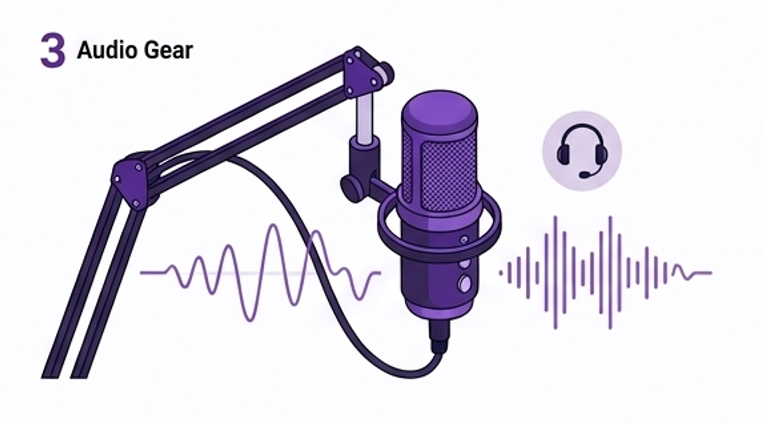
This might seem counter-intuitive, but it’s true! While a good-looking stream makes a great first impression, poor audio quality pushes viewers away. It’s fine if your broadcast looks mediocre; however, it’s essential that your audience hears what’s happening in-game. Background noise, bad mic quality, and low volume prevent viewers from enjoying their streaming experience and following the action. As a result, you’ll lose a significant chunk of your viewers.
Invest in a good mic – it can cost just a couple of hundred dollars, and that’s one of the easiest ways to increase viewer numbers. In addition, a good camera will significantly boost the quality of your streams, making it easier to grow your audience.
4. Optimize Your Profile and Panels
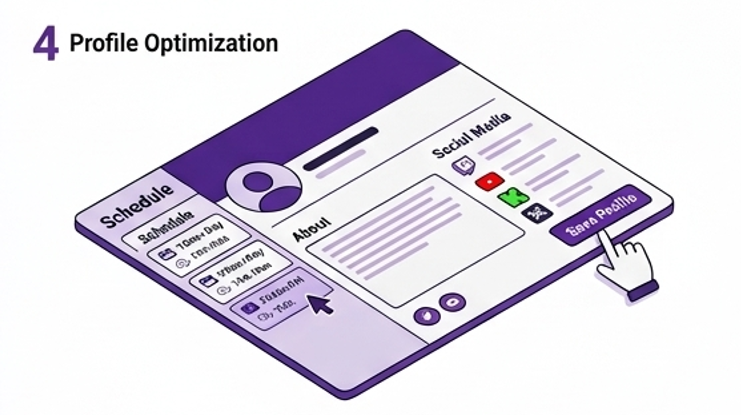
What viewers see when they come to your Twitch channel is important! It can make them stay and watch your stream or close the tab and never return. So, don’t hesitate to optimize your profile, and fill all the fields with information that interests viewers. Provide your viewers with information on your schedule, gaming style, and interests. It can be a short summary that consists of several sentences.
Also, create panels that provide useful info to your viewers. You can include your schedule and upcoming events, links to your other social media channels, and other useful info that helps viewers interact with you and stay tuned to your latest updates.
5. Use Relevant Tags
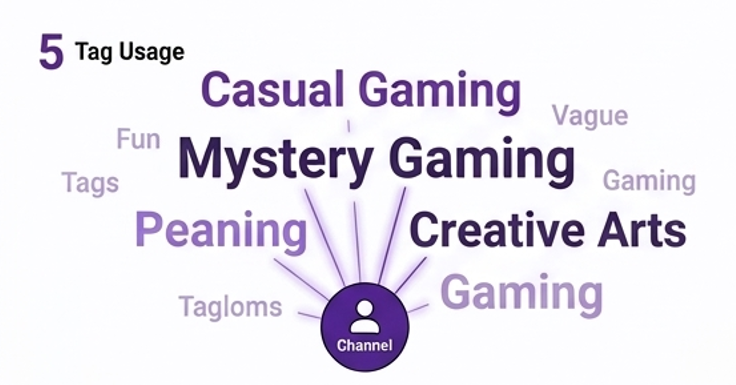
Tags are used by Twitch’s algorithm to determine your content and serve it to interested viewers. Therefore, it’s important to use them effectively to maximize your visibility in the category and grow your audience. For example, avoid generic tags like “fun,” “gaming,” or “streamer” because they’re too broad and irrelevant. Instead, use tags that describe your gaming style or the genre of the game. For instance, “casual gaming” or “mystery gaming” are great tags for your stream.
It might also be interesting to check what tags the leading streamers in your niche are using. You’ll likely discover some trends and learn which tags are most common in your category. Experiment with different tag combinations during several streams and monitor how your discovery metrics change. You’ll likely notice a slight improvement in viewer count if you do it correctly.
6. Clip and Share Your Best Moments
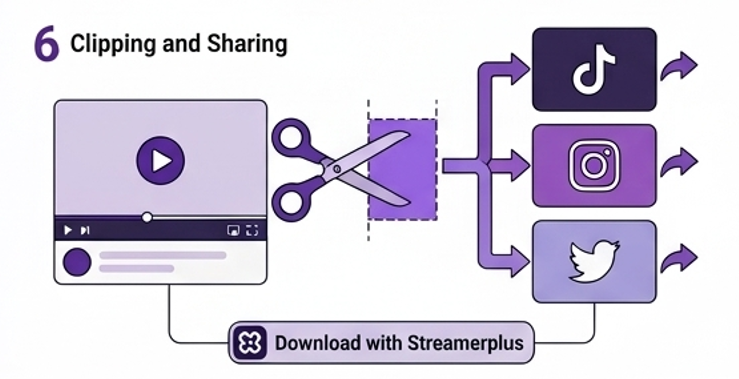
Your best stream moments can be used for growing your channel even further. Clips make your stream attractive to viewers who have never heard of your channel. For example, you can share your clips on TikTok, Instagram, and Twitter to reach more people in your niche and draw them to your channel. You’ll also have to share your clips with your friends on social media to get more views and grow your audience. It’s a simple and effective strategy that works for all streamers!
Finally, you should invest in your channel and buy Twitch followers and viewers to give your channel a boost and kick off your streaming career. Buying followers and viewers from Streamerplus is an excellent solution for many streamers.
7. Promote Your Twitch Channel on TikTok
Social media is a fantastic opportunity for growing your channel, and there are dozens of effective strategies to implement it. One of the most successful tactics is promoting your channel on TikTok or Instagram. Why not use short videos with your best stream moments? Your clips are already optimized for sharing on other platforms, and that’s what you should take advantage of! Post them on TikTok, Twitter, and Instagram, and use hashtags that describe your channel’s gaming style or genre. In a couple of days, you’ll likely get additional views from social media followers.
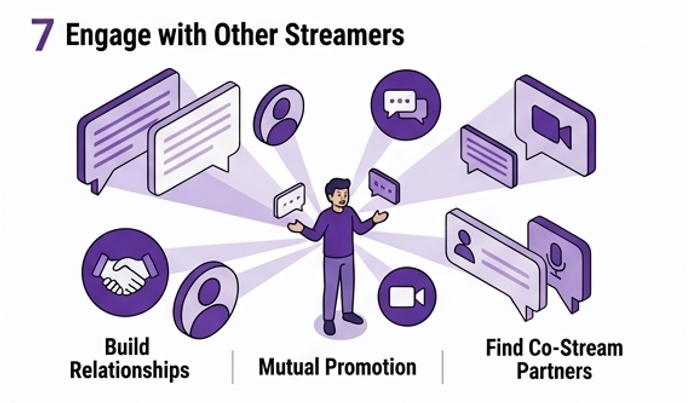
It’s always beneficial to build relationships with fellow streamers in your niche. You can collaborate with them to promote your channel and increase viewer numbers. For example, you can ask your peers to mention your channel in their stream or write a positive review. Of course, you’ll have to do the same to help them promote their channel and build a mutually beneficial relationship. Moreover, you’ll be able to organize co-streams to entertain your viewers with unique content.
“Not sure when your audience is most active? Use our free Find the Best Time to Stream tool to find your optimal streaming window.”
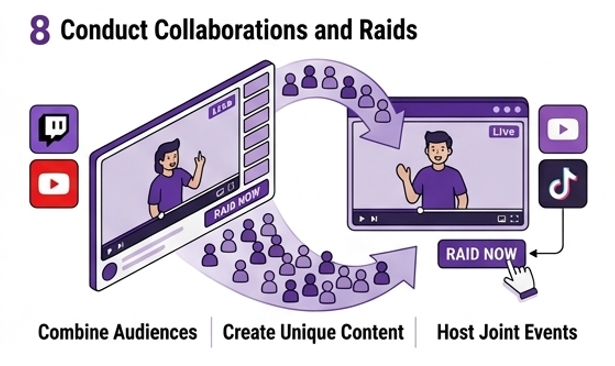
8. Conduct Collaborations and Raids
Collaborations are an excellent way to exchange your audience and gain more views and followers from other channels. It allows you to invite other streamers’ viewers to your channel and get viewers of your channel to join their streams. Both channels benefit greatly from such collaborations because they exchange their audience and get new subscribers. In addition, you can conduct raids and invite your viewers to join other streamers. You’ll likely receive raids in return, and that’s a great opportunity to boost your channel’s visibility.
9. Increase Live Time per Stream
While the optimal time for live streaming is three hours, you should spend five or six hours on your stream per day. You’ll have more time to interact with viewers and provide them with interesting content. More importantly, Twitch will display your stream on category pages for longer periods. Thus, more viewers will find your channel through Twitch categories. Don’t forget that the best moments usually occur at the end of the stream, so you should wait until the third hour to get a unique experience!
10. Host Unique Events
Apart from regular streams, try organizing events that encourage viewers to visit your channel. Such activities may be linked to charitable events, milestones, viewer contests, or themed streams. Hosting unique events will make viewers curious and encourage them to tune in to your channel and participate in exciting competitions or challenges. Moreover, you can create buzz before hosting an event and invite your followers to attend it. It will help you build a community of dedicated subscribers who regularly attend your events and share them on social media.
11. Check Your Stream Metrics
Every Twitch channel has access to valuable metrics, including viewer numbers, follower count, peak viewer count, average viewer count, and chat metrics. It’s vital to check your stats and analyze your performance because it will allow you to learn what you’re doing well and where you can improve. For example, you’ll know which games attract more followers and have fewer viewer drops, allowing you to adjust your gaming style. Overall, it’s a great strategy to improve your viewer numbers.
12. Create a Discord Community for Your Followers
You can host discussions on your Twitch channel and invite your viewers to participate. It’s an excellent opportunity to interact with your followers and share your experiences. In addition, you’ll build strong relationships with your followers and create a loyal community that regularly attends your streams. Finally, your Discord community will help you promote upcoming events and streams, attracting more views and followers. You can easily grow your channel using Discord.
Reading Your Twitch Analytics, What to Actually Look At
Twitch Studio and your Creator Dashboard give you access to several key metrics after every stream. Here’s what each one means and what to do with it:
Metric
What It Tells You
What to Do With It
Average concurrent viewers
Your typical live audience size
Track week over week — consistent growth is the goal
Peak viewers
Best single moment of the stream
What were you doing then? Replicate it
New followers per stream
How many viewers converted to followers
Low conversion = great content, weak branding
Chat messages per stream
Engagement quality, not just viewer count
Low chat with decent viewers = improve engagement
Unique viewers
Total different people who dropped in
Much higher than concurrent = viewers not staying
Hours watched
Total viewing time across all viewers
Divided by unique viewers = average watch time
Deciding between Twitch and Kick is one of the most important decisions a streamer might make in 2026. Both platforms have their own strengths and weaknesses, but their purposes couldn’t be more different. Whether you are starting out or need to grow faster as a streamer, this article is a comprehensive guide to everything you need to know.
What is Twitch?
Twitch is the largest live streaming platform in the world and was founded in 2011 and acquired by Amazon in 2014. It is mostly used for gaming but also offers other categories such as Just Chatting, music, and creative arts. As of early 2026, Twitch has around 140 million monthly active users. Obsbot
Twitch is the go-to platform for streamers for over a decade now; however, this is not the case anymore.
Kick is a relatively new live streaming service. The service was launched in 2022. The service got traction due to the much more lucrative monetization model it offers compared to Twitch. Kick now boasts of having 57 million total registered users as of early 2025. OneStream
The service was also able to poach popular Twitch streamers like xQc, Adin Ross, and Amouranth. They took millions of their fans with them.
Twitch vs Kick: Audience Size
In the category of audience size, Twitch still has the edge. As of data collected by Streams Charts as of late March 2026, Twitch boasts of having 1.4 billion hours of watch time over the last 30 days. Kick has 472 million. However, with a larger user base comes more competition. On Twitch, you will have to compete with millions of other streamers. On Kick, you will have much less competition. This will give you a bigger chance of getting discovered if you are a new streamer.
Twitch vs Kick: Monetization
This is where Kick really outshines Twitch. This is also the reason why Kick has been getting so popular. The service offers a much more lucrative monetization model compared to Twitch.
Let me break it down:
Benefits Table:
Twitch
Kick
Subscription split
50/50
95/5
Ads
Yes
No forced ads
Hourly pay program
No
$16/hour (eligible streamers)
Donations
100% to creator
100% to creator
For most streamers, especially those early in their career, Kick pays significantly more per subscriber.
Twitch vs Kick: How to Become Affiliate
Monetization is one of the most important goals for Twitch streamers. Here is what you need to become an Affiliate on each platform:
Twitch Affiliate Requirements:
50 followers
8 hours of stream
7 days of the week
3 average viewers per stream
Kick Affiliate Requirements:
75 followers
Streams for over 5 hours
Kick’s requirements are less demanding, which makes it easier for streamers.
Twitch vs Kick: Content Rules
Twitch is very strict with its community guidelines. In fact, Twitch has been criticized for not being consistent with the enforcement of these guidelines. Kick, on the other hand, is more liberal with its guidelines. For example, Twitch forbids gambling streams, which is not the case with Kick.
Although Twitch forbids hate speech, offensive content, and any form of illegal activity, Kick might allow you more freedom if your content was restricted in the past.
Twitch vs Kick: Stream Quality
Kick has a maximum stream quality of up to 4K, whereas Twitch has a maximum quality of up to 1080p at 60fps.
Twitch vs Kick: What Should You Choose?
The honest truth is, it all depends on what you want!
Pick Twitch if you want maximum reach and brand building.
consider Kick if you want maximum money, less competition, and maximum content freedom.
Choose both Twitch and Kick if you want maximum reach and money simultaneously.
Streaming on both Twitch and Kick at the same time is called “multistreaming,” and it is allowed on both Twitch and Kick simultaneously as of 2026.
Want to Grow Faster on Either Platform?
The toughest part of being a streamer on either Twitch or Kick, or both, is getting maximum followers and viewers from scratch. Many streamers use services to get their streams going from scratch.
At StreamerPlus, we provide streamers with real Twitch followers, YouTube subscribers, and Kick viewers, so you can focus on making great content while your viewership grows from scratch.
StreamerPlus Products
Boost Your Streaming Growth
Real followers, viewers and subscribers — delivered fast
Twitch CEO Dan Clancy and Kick Director Ethan Wright both acknowledge that live streaming is on the cusp of a big growth phase in 2026, as more creators than ever build communities on these platforms. Whether you go all-in on Twitch, Kick, or both, the most important thing is to start streaming and be consistent.
Starting a Twitch channel is pretty straightforward. But knowing the best twitch streaming times and getting those all-important eyeballs on your channel is oh-so-challenging.
Unfair, isn’t it? But the pros here at Streamerplus are dab hands at getting brand-new streamers views and followers, exponentially growing their channel. And yes, we can do it for you too.
However, you can implement a few tactics to expand your viewership yourself, too — understanding the best times to stream is one of them.
Best Live Streaming Times
Aim to stream on Twitch between 11 am and 2 pm Pacific Standard Time (PST) for maximum viewership. This period boasts peak viewership numbers, giving you the highest potential number of eyeballs.
But be warned, that’s not necessarily the perfect time for new channels to stream.
Why?
Because you’ll face a ton of competition.
The brains at Streamerplus recommend new channels to stream between 12 am and 9 am PST. During these hours, the number of other live channels drops, meaning you don’t have to battle thousands of other streamers to grab those views.
Plus, you’ll still benefit from global viewership, particularly in the Americas, Africa, Asia, and Europe.
When is the Best day to Stream?
As you might expect, the best days to stream on Twitch in 2026 are Saturday and Sunday. But like the opportune streaming time, you’ll face bucketloads of competition.
So, if you’re just starting your Twitch journey, we recommend days with the lowest number of other live channels. These are:
Monday
Tuesday
Wednesday
The above works as a general guideline. However, Twitch is all about connecting with your audience. So, ideally, you need to find out when your target market is watching and aim to stream at that time.
Twitch’s golden hours may not work for your local audience (i.e., people in your time zone).
Therefore, answer the question, “when is your audience free to watch” by figuring out when they’d be awake and not at school or work.
Once you know that, you can decide whether to split your streams throughout the day or do one long broadcast.
But there are more things you need to do to fully answer your burning questions “how to get recognized on Twitch” Luckily, our team at Streamerplus can help you gain much-needed views and followers right now.
The Best Days to Stream on Twitch
Finding out the best day to start streaming will depend on what type game you want to play. If you’re open to playing different games, we recommend using the twitch tracker to find any good game that has the highest viewership per channel ratio. You want to be guided and choose a game with a high viewer-to-channel percentage. This will be likely to lead to more viewers. Of course, nothing is guaranteed but knowing that there is sometimes a less competition for a highly watched game. You can take advantage of this when you’re being strategic.
How to Grow After Choosing Best Days and Time to Stream
Okay, so we’ve talked about the best date and time to stream, but how do we take that information and use it effectively for our channel growth? Well, the very first thing you want to do is make sure you stream in a category that has fewer channels. Starting your streaming journey on twitch with fewer channels is one of the great ways to gain more viewers. You could be the best entertainer, you could be fun, you could have great content, or your channel could look beautiful. But if no one’s going to find your channel because it’s flooded with so many other streamers, it will not help you grow.
It will mean nothing if you think about streaming on twitch during peak hours. You’re probably competing with the big streamers who have a community of loyal viewers. That’s why you should start streaming to categories that have fewer channels, as it’ll allow you to grow your channel and gain recognition. If you’re not a regular streamer out there, one of the best things on twitch you can do is start streaming during the weekends, early mornings, and nights.
We’ve already stated one of the best times is between 12 midnight and 8 am, but on the weekends, some kids stay up late and they want to watch live streams, which is the best time for you to gain their attention all right, so we’ve got your best time best day and even tips that help refine that. But you got to make sure you stay consistent.
Be Consistent After Choosing the Best Day and Time
Let’s talk about that for a quick moment and give you some tips. To stay consistent with your streaming schedule, you must be realistic about your goals and schedule. Make sure you find a game you’re good at or passionate about. This will help you avoid burnout. Many believe streaming when big streamers are online in the same category will ruin your overall discoverability. Still, if you adjust your timing when big streamers go offline, you can gain many viewers. Consider considering this when those channels are looking for someone new to watch.
Avoid prime-time hours, as streaming on twitch along with fewer twitch channels enables you to gain more organic twitch viewers. Like I said earlier, there are a lot of variables when it comes to the best day and time you have. Life variables plus platform variables, so we always recommend you do your research. Do some analytical work and then pull out all the data to see what it says and use that to your advantage; trust me. It will help. You can start streaming smarter.
What Time of Day Is Best to Live Stream on Twitch?
To answer this question, you need to look at data on the viewers and how that’s curving over time, and then you need to compare that with data in terms of the number of competitor channels. So viewers are in demand, and channels are in supply. So you’re trying to find times when there’s a discrepancy between supply and demand. If you can find a point where the demand is a little higher, but the supply is a little lower, for example, in terms of viewers versus channels, then you can find a caked opportunity to grow by optimizing the time of day you stream.
Using Twitch Stats.
Let’s look at the statistics that is always available on your twitch stats. So if you look at how viewers trend over time on twitch statistics, this is global. The lowest point in the day regarding viewership is at four am eastern time. There’s one-third of the viewership at 4:00 am eastern time on twitch.
As there is at uh 14 o’clock eastern time which is 2 pm eastern time, this is global, by the way. Not just in your local area but globally. This would tell us we need to keep an eye on four eastern. We need to take a look at 14 eastern as well. Those are the two points of interest on this chart that we need to keep in mind, and if we can find a discrepancy somewhere in this data with the high point and a low point in terms of viewership and channels, we may increase our odds of being discovered on the platform.
Conclusion
The odds are in your favor, like supply and demand, which remains consistent during this period. There’s a balance between supply and demand between 6 am and noon on twitch. It stays compatible with the number of viewers, and the number of streamers remains the same during that period which is why that is the sweet spot to stream on twitch if you want to break through.
Very few marketing departments have successfully understood Twitch yet. And it is precisely for this reason that it is an excellent opportunity.
When other businesses struggle to capture viewers’ attention using Instagram and YouTube placements, Twitch becomes even more attractive because of its engaged viewership. The average daily engagement rate per user on Twitch is 95 minutes. This is almost double the average engagement time of any other social media site. Unlike other sites, where users may be mindlessly scrolling through content, on Twitch, viewers actively listen to streamers who are addressing them personally in real-time.
This guide provides detailed information that a business would require when marketing on Twitch in 2026 — including the type of audience, marketing formats, finding influencers, and measuring success of campaigns.
Why Twitch Should be Taken Seriously by Marketers
Statistics speak volumes.
Twitch boasts 240 million monthly active users, 35 million daily active users and holds a staggering share of 91% of the market’s live-streaming content and 76% of total viewing hours. Marketing Agent Blog It earned roughly $1.8 billion of revenue in 2024 Business of Apps through advertising and sponsorship programs alone.
Why does Twitch stand out from any other platform currently being used by marketers? Live engagement is one of its greatest assets. While mentioning your brand will not get buried under thousands of posts on social media feeds, the viewers are immediately engaged, asking questions, leaving comments in the live chat and getting their queries answered right away. It’s impossible to achieve this kind of interaction through a pre-recorded advertisement or even an Instagram post.
Its primary audience comprises younger viewers that are extremely hard to target on other platforms. Twitch reaches a majority of gamers between the ages of 20 to 39 — digital natives raised with internet games and live streaming. Jitendra Vaswani They have developed a tendency to aggressively use ad blockers, skip YouTube pre-rolls in 5 seconds and don’t really believe in traditional advertising. Twitch allows you to reach out to this target audience via sponsorship.
Extraordinary user attention spans cannot be neglected either. The average time spent per day by American Twitch viewers stands at a whopping 95 minutes. Social Shepherd This means your brand stays there for at least 4 hours when mentioned.
Who Is the Twitch Audience?
Understanding the demographics is essential before committing marketing budget to any platform.
Metric
Data
Monthly active users
240 million
Daily active users
35 million
Average daily time on platform
95 minutes
Gender split
65% male, 35% female
Largest age group
20–34 years old
Largest country
United States (23.67% of users)
US users
37.2 million
Average concurrent viewers
2.3 million
Twitch’s typical user is aged 26 years, emphasizing its relevance to an audience that loves real-time and interactive entertainment.
Jitendra Vaswani It is important to observe the gender distribution is 65% men however, there has been a steady rise in the number of women using the platform, narrowing the gender divide in recent times.
Jitendra Vaswani Women-focused brands should not overlook Twitch, especially for product categories such as beauty, lifestyle, and Just Chatting that attract a significantly higher percentage of women viewers.
The most popular categories include:
Category
Average viewers
Just Chatting
309,000
League of Legends
148,000
Counter-Strike
91,000
Grand Theft Auto V
89,100
Fortnite
Varies with updates
Just Chatting’s prevalence holds significance for brands. The prevalence of Just Chatting validates that Twitch isn’t just an avenue for gaming; rather, it is an avenue for entertainment and discussions. As such, it allows room for virtually any brand, beyond the gaming or tech niche.
The 5 Twitch Marketing Strategies for Businesses
(Use the strategy diagram above as a reference as you read through each option.)
1. Sponsorships of Influencers
This is the most efficient and popular marketing format on Twitch. The brand sponsors the streamer in order to promote its products by demonstrating, mentioning or using them during live streaming. There are several sponsorship types:
Dedicated sponsor segments
This type involves a dedicated time in the stream when the influencer will mention the product, use it, show it and provide promo codes. Dedicated segments usually take 2 to 5 minutes. Integration of the promotion into the stream. In that case, there will be no dedicated time in the video, only natural integration of the product which can be, for example, some gaming accessory on the desktop or a drink of the streamer. Such sponsorships are more covert and usually work better.
Panel promotions of brands
It involves placing the sponsor’s link to the website of the brand in the section of panels at the bottom of the screen. There is not too much interaction between the brand and viewers.
Long-term sponsorship
It includes partnership with the influencer for a month or several months. The influencer promotes the product in his/her regular stream. It is the most expensive marketing tactic, but at the same time, it is the most profitable.
How to find the suitable influencers?
It seems logical to think that you should search among the first 50 channels on Twitch. But do not rush: mid-tier channels with 500 to 10,000 concurrent viewers may suit better in terms of the cost-benefit ratio. They already have devoted followers who will trust the recommendation and pay for the product.
Use various services like Creator Camp, Upfluence or Grin to find the best candidates among numerous streams. Also, consider their engagement: viewer to chat ratio plays the key role here.
2. Display Advertising
Direct advertisement options are available through Twitch’s self-service advertisement portal, enabling brands to advertise to the entire audience without going through individual content creators.
Available ad formats: Pre-roll video ads – play before starting the streaming. Highly visible but equally likely to be skipped. Works well as a tool for building brand awareness rather than driving conversions.
Mid-roll video ads – play during the live streaming at time intervals decided by Twitch or the streamer. More disruptive to the experience but also more difficult to avoid. This ad format is widely used, and includes the Stream Display Ad (SDA) – a 15-second video ad displayed before or during the live streaming, making it possible for viewers to still see and listen to the creator while viewing the ad.
Display banner ads – shown alongside the stream. Less engaging but effective for keeping brands constantly present. Homepage takeovers – premium ads taking the main position on the homepage. Extremely expensive and best used for major brand launches or campaign events.
How much does Twitch advertising cost?
On average, Twitch advertising in 2025 costs between $4 and $10 per thousand impressions (CPM). During the November/December peak ad season, Twitch’s cost may increase up to $12+ CPM due to higher competition among game and tech brands. The Social Shepherd Compared to other digital channels, this price range remains relatively competitive.
Even more so when considering the quality of Twitch’s engaged audience. In particular, a CPM of $7 worth of ads targeted at 26-year-olds who spend an average of 95 minutes streaming cannot be compared to the same CPM of any other platform where the users scroll for 20 minutes.
3. Branded Events and Tournaments
It is one of the most effective forms of marketing that is grossly underutilized by brands on Twitch. Any branded event on Twitch will create a particular point in time where the community comes together and engages. Creating clips, highlights, and social media buzz beyond the actual broadcast itself is the ultimate goal here.
Sponsorship of tournaments – Gaming tournaments are often sponsored on Twitch and regularly garner hundreds of thousands of views. In order for the brand to get its name out there in front of an enormous number of people, it has to be relevant to the audience. An ideal match between a gaming peripheral brand and an FPS gaming tournament will resonate far better than most traditional brands.
Branded Challenges – Creating a unique challenge or competition that streamers can participate in is a great way to get user-generated content on the brand. It will give the community something to engage with rather than having a commercial inserted into their game play.
Live Product Launches – A brand hosting a live product launch event with the streamer acts as a host allows for much more interaction with the audience and greater engagement. This is especially useful for hardware or software gaming products.
Charity Stream – The sponsorship or participation of a charity stream garners the best response from the community.
4. Product Placement & Live Integrations
Product placement through Twitch differs from the way product placement works on traditional media platforms. While product placement on traditional media platforms is merely a passive appearance of the logo in the background, product placement through Twitch requires live interaction with the product by the content creator on screen.
By making a live demonstration of your gaming chair, energy drinks, hoodie or software products in a Twitch session, a streamer makes the organic appearance of your products before their engaged audiences.
For an effective product placement, make sure your product placement strategy includes the following elements:
Authentic integration – your product should be naturally included by the streamer in the discussion of something related to your product without announcing it as a promotional opportunity.
Attribution – add the unique discount code or tracking URL to the product description so that you could monitor whether product placement helped convert traffic into purchases.
5. Creating a Branded Twitch Channel
An even more ambitious plan which might yield incredible returns in the future is establishing a branded Twitch channel – something that would give the brand its own presence in the community that could develop organically in time.
A number of well-known brands have managed to do that. For instance, Red Bull has created their own Twitch channel full of athlete content, sponsored gaming events, and non-commercial content, i.e., things that are really entertaining and useful to watch.
Creating a brand channel takes serious effort and time.
One needs to come up with a consistent content creation plan, hire good creators, and invest in promoting and growing the channel over time. Yet the result will be worth the trouble since one gets to create an entirely owned brand presence in the Twitch universe.
Your audience
Stream what your audience actually wants to watch. Don’t create streams based on your products. A tech brand should consider competitive gaming. A food brand should organize live-cooking challenges, etc. Hire a streamer/creator who can actually stream and represent your brand online.
First and foremost, think of your audience and their expectations. You don’t want your channel to look like just another advertisement.
Metrics for Evaluating Twitch Marketing Strategy Success
Measurement tends to be one of the biggest concerns businesses have when considering Twitch marketing.
How can you determine its success?
The following metrics are essential:
Metric
What It Measures
How to Track
Unique discount code redemptions
Direct conversions from sponsored streams
Your own analytics
Tracking link clicks
Traffic driven to your site
UTM parameters
Stream clip views
Content reach beyond the live audience
Twitch analytics + social
Chat mentions of your brand
Organic brand discussion during stream
Twitch chat monitoring tools
Follower growth during stream
Audience responding to brand association
Channel analytics
CPM vs conversion rate
Ad efficiency vs other channels
Platform ad dashboard
Earned media value
Total organic reach generated
Social listening tools
The most reliable measurement framework combines a unique discount code (for direct conversion tracking) with UTM-tagged links and post-campaign social listening to capture the full picture of earned media generated by the activation.
Twitch Marketing vs Other Competitors
How does Twitch stack up against the platforms most marketing teams are already using?
Platform
Avg daily time
Audience age
Ad format
Trust level
Twitch
95 minutes
18–34
Live sponsorship, display
Very high (creator-led)
YouTube
40 minutes
18–49
Pre-roll, display, influencer
High
Instagram
30 minutes
18–44
Stories, feed, influencer
Medium
TikTok
52 minutes
16–34
In-feed, spark ads
Medium-high
Twitter/X
31 minutes
25–49
Promoted posts, display
Low-medium
Twitch beats its competitors in engagement by a large distance, and the element of trust created by creators is the greatest of all platforms. However, there is a drawback, as the size of the total audience on Twitch is lower compared to Instagram and YouTube. In this regard, Twitch must be viewed as a supplement to other strategies.
Tips before Getting Started with Twitch Marketing
Start small. Launch a pilot project for 30 days with one or two mid-tier streamers. Gather all data on their effectiveness.
Do not script streamers as if they were employees. Instead, provide some guidance to give them creative freedom.
If you as a business want to try out streaming for yourself, you can! Streamerplus have a great guide on how to stream on Twitch for individuals and businesses.
Check audience quality, not just quantity. A 2,000-person active audience is better than a 50,000-person passive audience of people outside your target demographic.
Time it with the viewing peak. Plan your campaigns on the evenings of Fridays and Saturdays, major game releases, or esports events when viewership is at its peak.
Use YouTube as well. Make sure that your streamer publishes clips from your ad as extra videos after their broadcast.
If you’re also working on growing your own Twitch presence alongside your marketing strategy, buying real Twitch followers and viewers from Streamerplus can help you establish the credibility that makes brand partnerships more attractive to potential sponsors.
The Bits currency on Twitch is probably one of the least understood features on the platform. Most viewers understand they exist, but very few realize that they can be earned for free, without putting up even a penny.
Be you a viewer looking for ways to donate some free Bits to a streamer without losing your money, or just a curious streamer who wants to learn more about Bits currency, this guide will provide all the essential information you need to know.
What Are Twitch Bits?
As we have already mentioned, Bits are a type of virtual currency in Twitch. Unlike a subscription, Bits are a one-time donation that viewers can make to their favorite streams on the platform. Each Bit is worth $0.01, meaning 100 Bits are $1 for the streamer, 1000 Bits = $10, and so forth.
When you donate your Bits to a streamer (also known as cheering), you’re basically making a monetary donation of the corresponding sum along with an animated emote. Thus, when someone cheers for the first time, he or she should type the word “Cheer” and the amount in dollars in the chat. Then press enter, and your contribution will be sent to the recipient’s Bits account.
The main advantage of Bits over traditional subscription model is that it allows users to donate whatever amount they want and whenever they want to. It provides streamers with additional means of gaining some extra cash.
Are you planning to cheer soon and would like to calculate in advance how much it will cost you? No worries, we have developed a special calculator where you can convert any amount of Bits into USD in just seconds! Click here for more information.
How Much Does it Cost to Buy Bits on Twitch?
As mentioned above, the cost of Bits on Twitch depends on the amount you purchase. As you can see from the following chart, the more Bits you buy, the cheaper price for each Bit you get:
100 Bits – around $1.40

500 Bits – approximately $7.00

1,000 Bits – roughly $10.00

1,500 Bits – approximately $19.95

5,000 Bits – around $64.40

10,000 Bits – approximately $126.00

25,000 Bits – roughly $308.00
It should be noted that first-time customers will receive a better rate while buying Bits. Also, depending on your region and platform (buying on desktop or mobile device) you may face slight variations in the price of Bits. Buying Bits on mobile devices, specifically through iOS and Android apps usually cost more due to commissions from the application store. We hope this article was useful in answering your questions on Bits prices. Now let us explain how you can get your free Bits.
How to Earn Free Bits on Twitch There are several legitimate methods to get your free Bits on Twitch. Let us discuss them in detail.
Method #1 – Watching Video Ads on Twitch
The easiest method of earning free Bits is watching video ads on the Twitch website. The platform offers the opportunity to earn from 5 to 100 Bits per view, and most users usually receive around 5 to 10 Bits.
In order to use this method, follow the instructions below:
Open the Twitch site and go to any channel page that has the Bit currency enabled. Click the diamond shape Bits icon at the lower right part of the screen. Select “Get Bits“ Choose the “Watch Ad” option. Watch the video fully and then wait for the update of your Balance tab.
You can perform this activity up to once per hour or until you reach a certain daily maximum number of video ads. The number of videos you can watch is not public but, according to rumors, it is renewed daily starting at midnight PST. Therefore, you are advised to watch your ads right after midnight in order to maximize the amount of Bits gained.
Important: The “Watch Ad” button becomes gray after exceeding the daily limit, so if you encounter this issue, you should stop watching ads. Also, some streamers do not allow watching ads for Bits in certain countries. If you encounter such a problem, you can try using a proxy server or a Virtual Private Network (VPN).
Method #2 – Completing TwitchRPG Surveys
TwitchRPG is Twitch’s official research panel. Viewers can participate in various surveys on this website and earn free Bits in exchange. Typically, you are offered to complete a survey and earn around 500 Bits for your participation. Note that Twitch does not offer Bit rewards on all surveys; the survey with Bit reward is marked with “sponsored.” In order to participate in TwitchRPG, visit rpg.twitch.tv, register with your Twitch account and verify your e-mail address.
Important: Only people from selected countries and with aTwitch-affiliated account can join TwitchRPG. TwitchRPG is located in the United States and offers surveys only to residents of these countries. Therefore, if you’re unable to log in or see the list of surveys, you should use a proxy server.
Now that your registration is finished, you can start receiving emails with notifications about new TwitchRPG surveys. When the new survey opens, visit rpg.twitch.tv and click it as soon as possible in order to receive a Bit reward.
Note that there is a limited number of Bit-reward slots per month. If you’re quick enough to complete a survey before slots run out, you will receive your Bits automatically.
Method #3 – Google Opinion Rewards
This method, although a bit indirect, can be helpful for viewers seeking some extra Bits on Twitch. Google Opinion Rewards is a popular service offered by Google that lets users complete short surveys on their smartphones and receive Google Play credits as their rewards. Each survey typically takes less than one minute and yields $0.10 to $1.00.
After you complete one or two surveys, visit the Google Play Store and redeem your credits for Bits. For users of the Android platform, the process can be accomplished easily. However, iOS users should install Google Opinion Rewards app on their Apple device. After doing so, you will be able to redeem your credits for Twitch bits on the iOS version of the app.
Method #4 – Twitch & Amazon Prime Rewards
Finally, if you are Amazon Prime member and have subscribed for Twitch Prime, you can also get some free Bits as part of promotions or bonus activities. Note that this method won’t produce a regular source of free Bits since Bits are occasionally offered by the program. Nevertheless, visiting the Amazon Prime Twitch dashboard from time to time might bring unexpected surprises to you.
How to Cheer on Twitch
Once you have earned or bought some Bits, you can donate them to any Twitch streamer. To donate some Bits to someone, enter “Cheer” and then the number of Bits in the chat. Thus, if you want to send 1000 Bits to someone, just write “Cheer1000“. Note that some streamers may have minimum donation amount, so pay attention to the details. Also, besides plain Bits donations, you can use cheermotes (emotes for Bits donation) to make your donation more visually attractive and interesting for streamers. Different amount of Bits correspond to various cheermotes on Twitch.
If you wish to know beforehand how much is your contribution going to cost you, use the Twitch Bits to USD Converter provided by us.
How Do Twitch Bits Work for Streamers
Let us talk now about streamers who receive Bits donations on Twitch. For streamers, each Bit represents $0.10 cent of revenue, and you can check this info in your account’s Creator Dashboard. Bits from donations appear as Credits. Note that you don’t need to worry about any hidden commission; every single Bit received corresponds to one cent, no exceptions or nuances whatsoever.
The amount received from the donations is paid monthly starting from the moment you received $100 worth of Bits. You can request payment in any of the following options: PayPal, check, wire transfer or ACH payments. For streamers, it’s necessary to meet two requirements: first, they must be Twitch Affiliate or Twitch Partner to receive Bits. Second, it’s important to enable Bits cheering on the channel.
Enabling Bits is rather easy and takes only several steps:
Note that it takes some time after you enable the feature until the system processes it. So be patient!
Why is it Important for Your Channel’s Success
As you have already noticed, we recommend streamers to turn on the Bits donation function on their channels. Why is it so important for success on Twitch?
Firstly, as a streamer, you can monitor the total number of Bits donations, track the popularity of your channel and compare your progress with other Twitch channels. Secondly, as a streamer you are interested in creating a community. Bits donations promote the idea of community building since usernames of contributors are highlighted in chat, and they appear to be donating emotes. That helps to create a positive atmosphere of mutual help and friendship among the members of the community.
Thirdly, people who are long-time Bit contributors on your channel usually form a core of your community and thus help to preserve other members of the community over the years.
That said, for the new streamer it’s extremely important to have some initial base of followers on Twitch in order to receive some contributions. In StreamerPlus we can help you to get some of them! We offer affordable packages with real Twitch followers and viewers for every streamer regardless of the channel’s niche.
Need more help in your Twitch channel’s development? Read about the best time to stream, or find out why Twitch still beats Kick in 2026.
Frequently Asked Question
Have any questions?
All questions about Twitch bits answered, below
Still have Questions?
Get all the answer from our sales team who are available 24/7
There is no official daily maximum limit of Bits for ad-watching. However, from our experience, the limit varies from 50 to 200 Bits per day. We recommend you watching ads right after midnight PST to avoid hitting this limit.
Do Bits expire on Twitch?
No, Bits don’t have any expiration date and you can use them for any donation as long as you wish.
Is it possible to transfer Bits to another Twitch user?
Unfortunately, it’s impossible to transfer Bits to another person. Twitch keeps track of who donated what and it makes transferring Bits impossible.
What’s the minimum Bit donation?
It is 1 Bit; however, you can set minimum Bit donation for yourself in your channel’s settings.
Do streamers get 100% of donations?
Absolutely! Every Bit donated costs streamers $0.01 and no hidden fees apply here.
Is it possible to earn Bits on mobile devices?
Yes, the first method described in our article works on mobile and web platforms equally. The second method can only be used on computers.
How Does a Twitch View Bot Work? The Complete Guide
If you’ve ever hung around on Twitch, you know all about viewbots. They pop up whenever there’s an anomaly like a stream with an absurd number of viewers with no activity in chat. Or they appear when an insignificant channel ends up right at the top of its respective category for seemingly no reason. We are going to take an honest look at this.
This guide will detail what Twitch view bots are, how they function, why streamers use them, the ways in which Twitch catches them, what consequences come from getting caught using them, and finally, what the more intelligent ways to proceed actually are.
What Are Twitch View Bots?
View bots for Twitch are automated tools meant to generate false views for your Twitch streams by creating connections that simulate viewing time. In place of real individuals choosing to watch your stream, a series of automated programs will automatically connect to your stream to create the appearance of more popularity.
The concept is relatively easy to understand. View bots work by establishing connections to your Twitch stream through automated accounts via constantly changing IP addresses, which will be counted as different viewers. OnPattison When the Twitch website sees these bots connecting to your stream, it simply sees another individual loading up your stream on their web browser.
On the simplest end, view bots could be nothing more than automated scripts making connections to your stream link. However, more advanced bots could even simulate realistic actions by users, such as varied watching times and steady increases in traffic OnPattison .
Why Do Streamers Use View Bots?
In order to comprehend how view bots work, it is important to learn one fundamental aspect about Twitch: all categories rank streams depending on the number of concurrent views. The streams that have the most viewers end up at the top. At the top, those streams become visible to everyone else.
Visible streams attract more genuine viewers, which only makes the cycle stronger. Essentially, streams that get more views are rewarded by Twitch with increased discoverability – at the expense of the streams that just started out. People who rely on view bots to increase their popularity have several reasons behind the actions:
Discovery – Increased numbers of viewers move the streams closer to the top of categories’ rankings, which allows others to discover the streams while browsing Twitch. Nobody wants their channel to appear at the bottom of the category; therefore, view bots can be a solution to gain visibility in a particular category.
Social proof – Streams with 50 views appear more appealing than streams that have only 3 views. It is simple psychology: people tend to follow others.
Sponsorships and partnerships – Average concurrent views influence brands’ decisions about whether they want to collaborate with certain Twitchers or not.
viewers make a stream more interesting for brands – hence, it becomes more valuable.
Milestones for Twitch affiliates and partners – Twitch Affiliate requires 3 average concurrent views per month. Twitch Partner requires 75.
How Do Twitch View Bots Actually Work?
This is what the technology behind the services looks like:
Step 1 — Creation of bot networks There are huge networks of accounts or even just anonymous connections used by view botting services. There are two major types of them. First of all, there can be bots using legitimate Twitch accounts created especially for their purpose. Secondly, bots are able to access stream URL via browser automation.
Step 2 — IP address rotation IP addresses can be easily identified in order to detect bots. Therefore, the most important part of using view bots is having them connect to Twitch streams via huge pools of residential and data center proxy IPs, thus changing location for every new bot.
Step 3 — Imitation of viewer behavior In addition to opening the connection, some services provide the opportunity to control certain aspects of this behavior in order to increase natural appearance. This includes increasing numbers gradually, varying the period of sessions, and some bots can even interact with the stream via chats. OnPattison
Step 4 — Count maintenance Bots will occasionally disconnect from streams because of detection and timeouts. In addition, some other bots might just disappear. The key task is to replenish the count of viewers to keep up with the desired number.
How does Twitch recognize View Bots?
Twitch has been actively investing in anti-bots technology through the years. By 2026, Twitch uses highly sophisticated artificial intelligence algorithms to detect bots based on viewer activity. Viewbotter
This is how Twitch detects viewbots:
Signal
What It Reveals
Viewer-to-chat ratio
Real viewers chat. 500 viewers with 0 messages is a red flag
IP address patterns
Multiple connections from the same IP or suspicious IP ranges
Account age and history
New accounts with no activity showing up in viewer lists
Session behaviour
Bots tend to join and leave in unnatural patterns
Follower-to-viewer ratio
600 live viewers but only 80 followers is statistically implausible
Geographic distribution
Traffic coming entirely from one country or data centre cluster
Engagement scoring
No channel point redemptions, no reactions, no clip activity
Daniel Clancy, the CEO of Twitch, himself acknowledged the fact that detecting viewbots was a never-ending process, saying, “It is a bit of a cat and mouse game as third parties seek to avoid our detection.” X
The biggest anti-botting update by Twitch came in August 2025. It resulted in a fall of up to 22% in the total number of views on the website because the new coding algorithm was identifying fake activity. Viewbotter Many streamers found their viewership reduced drastically overnight.
How to Identify a Viewbotting Twitch Channel
How to Tell If a Streamer Is Viewbotting
If you think that a certain twitcher uses view bots, pay attention to the following things:
Chat without messages, reactions, or channel points despite numerous viewers — This should be your number one tip-off. If there are 300 people watching the channel yet nobody is chatting in the chat box, the chances are extremely high that they are just bots.
Too many live viewers compared to followers — It is hard to believe, for example, that there are 600 viewers at once if there are only 80 followers. As soon as Twitch viewers enjoy a streamer, they are likely to subscribe to his channel.
Unusual viewer growth patterns — Natural growth of any kind is gradual. If a channel goes from 5 to 500 viewers between two streams but doesn’t have any raids, shoutouts, and other similar activity, then something seems odd.
Quality of viewer lists — There are public lists of bot accounts on sites such as Twitch Insights that can be found on every viewer list. If most of the streamers’ viewers are in this list, then a viewbot is highly likely.
Social Blade indicators — These include rapid spikes in the number of followers or view counts disproportionate to subscriber amounts.
What are the consequences of getting caught?
The penalties for viewbotting vary depending on how much evidence is available:
Consequence
When It Happens
Viewer count correction
Automated — Twitch silently removes detected bots from counts
Shadowban
Reduced algorithm distribution without notification
Affiliate/Partner denial
During application review if engagement history looks suspicious
Temporary suspension
Clear evidence of intentional viewbotting
Permanent ban
Repeated violations or large-scale manipulation
Loss of monetisation
For Partners caught using bots
It should also be noted that viewbotting is not only an act performed by streamers upon themselves. Twitch itself has admitted that bots have been used to harass some streamers by directing fabricated viewers to the streams and getting the streamer investigated and, consequently, damaging their reputation. X Should your viewers spike for no apparent reason, you may be under attack instead of being the attacker.
Why View Bots Are Not the Solution To Start With, the Issue That Needs Solving
Ignoring the Ban Threat Aside From being against the rules, view bots do not actually address the issue that streamers are trying to solve.
do not interact – they do not subscribe, donate, use bits, and provide any sort of profit. A stream running with 500 fake subscribers and none real makes zero money, receives zero subscriptions and donations, and creates zero clips.
The algorithm works based on interactions, not mere viewer statistics. Twitch’s algorithm rewards streams with active chat, active clip creators, and active subscriber base – not necessarily large numbers of views. Channels that pump their viewer stats without providing interaction get penalized by algorithms because their numbers are fake, hence they should not be promoted.
It is difficult to determine which parts of content to optimize when using numbers from fake subscribers, since there is no way to tell how many are actual subscribers who enjoyed the stream.
The Smarter Alternative — Real Viewers From Real People
There is an obvious reason why there are view bots: the cold start problem on Twitch is really tough. Starting from scratch takes time and effort; the algorithm doesn’t acknowledge you at first; you have to struggle a lot until the snowball effect begins and things become easier.
But what to do about the issue? View bots aren’t the answer to the problem. What needs to be done is getting real viewers. Getting real Twitch viewers on Streamerplus ensures that your account is being boosted with real, active Twitch users, not view bots, not automated bots or any kind of bots. Getting real people watching your streams is the key to increasing views and getting the word about your channel out.
Why does it matter? It matters in many ways — for example, real viewers cannot be detected by the system because they are not bots but real Twitch users; they are able to talk with you and watch you longer; and they also help improve your algorithms performance on Twitch.
So, how to solve the problem of cold start on Twitch without using view bots?
Let’s take a look at some differences between the two solutions:
View Bots
Streamerplus Real Viewers
Real Twitch accounts
No
Yes
Risk of ban
High
None
Algorithm benefit
Minimal
Yes
Chat engagement
No
Yes
Sustainable growth
No
Yes
Monetisation safe
No
Yes
Frequently Asked Question
Have any questions?
All questions about Twitch bits answered, below
Still have Questions?
Get all the answer from our sales team who are available 24/7
While it is not an activity banned by any specific law, viewbotting violates the Twitch platform Terms of Service, which do not allow “artificial inflation of metrics”. The punishment for the activity involves suspension or ban from the service rather than prosecution.
Is there a risk of getting banned after being targeted by viewbots?
Being aware of bot attacks used to harass streamers, Twitch differentiates between the cases. As per the platform support resources, the intent and behavior patterns are considered prior to implementing any actions. If a streamer is clearly a victim of bot attacks, they will be handled differently from those who purchased the bots knowingly.
Do popular streamers use bots to boost their channels?
Based on the research conducted by the streaming industry analyst Devin Nash, more than 75% of the biggest Twitch users display clear evidence of viewbotting or automated engagement. Viewbotter It may be unclear whether bots utilized by popular streamers are paid services, fan-based efforts, or platform glitches, but there is no doubt that viewbotting is not a problem of small streamers only.
How do I know if I am being viewbotted?
Using Twitch Insights, monitor the viewer list for any accounts that have been reported as bots. Pay attention to any sudden increases in the viewer number without raiding, shoutout or social promotion. Compare your follower growth rate with the viewer one – any sudden increase in viewers while the followers number is unchanged indicates fake engagement.
Twitch is not meant to be this good in 2026.
The idea here is that live broadcasting is far too taxing – you need to catch up on it in real-time; you cannot fast-forward; you don’t have any edits or those carefully crafted clips produced by algorithms. It would seem that in today’s world filled with short-form media, a site dedicated to live unedited broadcasts for hours on end should fail miserably.
And yet Twitch has 240 million users a month. Its users spend on average 95 minutes each day. But that’s not all – the growth rate is not just increasing but also venturing outside the realms of video games. So what really makes it possible? Here is the full story.
The Numbers That Tell the Story
Before we look into the reasoning behind the growth, it’s helpful to know just how much it has occurred.
The number of adults in the US who consume any content on Twitch has grown by seven percentage points in the past four years, while the number who view content on a weekly basis has risen by five percentage points. civicscience
The stats of the current platform present a clear picture:
Metric
Figure
Monthly active users
240 million
Daily active users
35 million
Average daily viewing time
95 minutes
Hours watched annually (2025)
19 billion
Live streaming market share
54%
Average concurrent viewers
2.3 million
Monthly active streamers
6.8 million
The 54 percent market share enjoyed by live streaming is certainly something to ponder about. The rise of YouTube Gaming in the last few years cannot be denied since it now boasts 24 percent of the market share. Kick has also made an entry, holding 11 percent. But Twitch dominates over 50 percent of the live streaming market.
Reason 1: Twitch Sells Something No Other Platform Can — Real Human Connection
The first and most fundamental factor behind Twitch’s success cannot be quantified but is easy to feel.
There is a distinctive feature of Twitch that sets it apart from other competitors, such as YouTube, Netflix, or TikTok. When a user watches something on Twitch, he is not consuming entertainment but rather becoming a part of a living community. The streamer can mention him by name when answering his question, and others will engage with the very content the user engages with. They can start their inside jokes, create a recurring joke, and be acknowledged by the streamer himself.
This is why people are drawn to Twitch. Parasocial relationships, in this case, cannot be generated using algorithms and certainly cannot be generated in show business. Parasocial relationships are natural and happen exclusively in the context of Twitch channels.
While many companies made their products more automated and profit-driven, Twitch remained faithful to itself and managed to retain a sense of humanity that characterized its community. It became an increasingly significant advantage when addressing modern-day social media followers.
According to data collected by civicscience, people on Twitch are much more inclined to believe social media influencers and purchase whatever products they recommended.
Reason 2: The Platform Has Grown Far Beyond Gaming
The first and foremost thing people think about when mentioning Twitch is that it is a gaming platform. This misconception is at least five years old now.
From a platform which used to host only video games and esports to now hosting a variety of content to consume, there has been a change in the dynamics of the platform. Even though the category that sees the maximum consumption from Twitch viewers is casual video gaming, nearly one out of every five Twitch viewers consumes non-gaming related categories like music, live event, and creative content.
As of the beginning of 2026, the most watched category on Twitch was the Just Chatting category with 309,000 viewers streaming concurrently on average. This category is streamers talking to their audience, discussing current affairs, reacting to various things and living their life in general – something more akin to a radio show than gaming. Following Just Chatting comes the categories of music streams, IRL (in real life), live event, creative art, and sports. The company has made the platform more diverse and has transformed it into an entertainment destination which just happens to host the largest gaming category instead of being the primary function of the platform.
Every additional content category that Twitch is able to host successfully means reaching a whole new set of audiences – people that may never watch gaming but could easily spend hours consuming content related to music, cooking, and reacting to events.
Reason 3: The Gen Z and Millennial Demographics Drive Everything
Age composition is another highly undervalued growth driver for Twitch.
First of all, it should be noted that Twitch tends to attract more youthful audiences: the largest segment comprises individuals aged 20–39, i.e., digital natives who were born with gaming culture embedded in them. According to Jitendra Vaswani Weekly, the number of daily viewers of Millennials aged 30-44 increased to 21%, while among Gen Z aged 18-29, the rate rose to 30%.
The peculiar thing about these generations is that they grew up in entirely different media environments compared to those where television, radio, and even traditional social networks emerged. The members of these generations are used to seeing videos on YouTube, learning about gaming culture via popular streamers such as Ninja and Pokimane, and watching people play games.
This means that Twitch is not a substitute for entertainment for them; rather, it is entertainment itself. As these individuals grow older and earn and spend money, their significance only grows.
It should also be mentioned that the person who joined Twitch as a youngster at the age of 20, attracted by a new game launch, will stay loyal, adding to the influx of young users.
Reason 4: The Algorithm Problem That Makes Twitch More Valuable
In 2026, the most interesting irony regarding digital media will be that the more advanced recommendation algorithms become, the less we trust the recommendations and content served to us.
When we see a YouTube video, we know we’ve been recommended that particular one to get us engaged in the process and maximize our watch time. We know how Instagram feeds operate, with its AI selecting posts that would interest us. The very name of TikTok’s For You Page suggests the algorithmic curating of your feed. Thus, there appears to be an increasing trend towards algorithmic fatigue – we long to consume something selected and chosen on purpose.
What distinguishes Twitch from everything else is exactly this: it doesn’t depend on recommendation engines or any other kind of content curation, thus offering genuine viewing experience. When you tune into someone’s live stream, you aren’t watching pre-selected footage but seeing live what happens right then and there, something the streamer couldn’t have prepared for you beforehand. Moreover, live streams allow for immediate chat and interaction with other people.
All this makes Twitch a more attractive option for younger generations who’ve learned to distrust other social media due to their algorithms and AI curation of the content presented.
Reason 5: The Creator Economy Has Made Twitch a Viable Career
Not only does the platform get users, it gets creators.
The greater number of creators, the higher diversity and the greater amount of content on the platform will be. In turn, this attracts other users.
Twitch has created one of the best monetization systems among all digital media platforms today. From subscriptions to Bits donations to ads, sponsorships, and merchandise sales, the streamers have various income opportunities throughout their lifecycle on the platform.
The statistics are impressive: about half of the revenue generated by the top Twitch creators comes from sponsorships and brand collaborations. According to Resourcera Top partners may earn anywhere from three to ten million dollars annually. Nevertheless, even at the intermediate level, earning an income is possible: a streamer having several thousand regular subscribers can earn money via subscriptions combined with sponsorship deals occasionally.
It is precisely because the platform provides for the financial sustainability of its creators that many talented individuals start streaming as a viable source of income. As a result, the content they produce on Twitch grows in quality, thus attracting more viewers.
Thanks to the affiliate program, which demands only 50 subscribers and 3 regular views for acceptance, streamers can monetize their activity in early stages. This accessibility plays a significant role in ensuring creator retention, which is especially important during those early and tough months when many creators quit the game.
Reason 6: Amazon Has Changed the Game
Twitch is an Amazon property having been purchased by the company in 2014. Up until recently, the connection seemed like a relatively distant one — Amazon bought the platform and let it operate on its own accord. Times are a-changing.
Twitch has grown increasingly, and when Amazon added Twitch Prime in recent years. Prime Gaming, for instance, offers a range of services to Prime members, including access to free channel subscriptions on Twitch, free game content, and exclusive in-game perks. All of this ensures that Twitch has access to the massive Prime customer base, making it easier for potential users to join the community.
Finally, the company’s marketing and e-commerce technologies are increasingly being used in combination with Twitch’s community-based platform. Businesses have been getting acquainted with Twitch’s advanced ad formats, which include the use of in-stream shopping technology that allows viewers to purchase products in real-time while watching a stream.
Reason 7: The Competition Has Actually Helped
But as contradictory as it seems, the emergence of Kick may well have had a positive effect on Twitch.
Launched in 2022 with a highly favorable revenue split for content creators (95/5 compared to Twitch’s 50/50), the site gained some popularity among famous streamers and proved itself as a strong alternative. The obvious response from most observers was that Twitch’s business is seriously affected.
In reality, the situation turned out to be more complicated than expected. Several star streamers have switched to Kick. Other streamers chose to switch back to Twitch or even stream on both sites simultaneously. Moreover, due to the competitive nature of the situation, Twitch was compelled to make significant improvements by eliminating the restrictive exclusive clause in 2024.
The effect was profound. Content creators no longer feel the risk associated with switching from Twitch as they could distribute the content on two sites simultaneously.
Many creators now use Twitch as the base where the main audience is accumulated whereas YouTube and Kick provide an extra channel for reaching viewers. In addition, the overall growth of the live streaming market positively affects Twitch as more users get acquainted with live streaming as such.
What does This Mean for Streamers?
As a result, if you are planning on creating a Twitch channel, this information will come as both promising and intimidating, as the increasing competition and growing popularity of the platform means that the road ahead may prove to be extremely difficult.
Channels that will see the fastest rate of growth on Twitch in 2026 will be those that take advantage of the unique features of the platform, such as direct connection with one’s audience, regularity, authenticity and a feeling of realness associated with Twitch videos.
Some interesting facts and implications from the growth rates data:
Diversification outside of gaming – this is great news for all creators who aren’t gamers but want to make content in another category. Be it music, food, fitness, lifestyle or anything else – there is an audience for your video. And there will always be new Twitch users to watch it. Twitch channel does not require its user to be a gamer at heart. Loyal and high-intent audience. Viewers of Twitch tend to spend a lot of money on Christmas gifts. Moreover, according to civicscience, frequent viewers of the platform have a higher probability of having more financial resources in 2026, as compared to 2025. In short, it means that Twitch viewers are willing to purchase products, especially those recommended by their favorite creators.
It’s hard to be the first, but it is rewarding in the end. Despite the many growth opportunities of the platform, starting out with a Twitch channel may prove difficult because of the ‘cold start’ problem. This means that the algorithm favors channels that have existing users, which makes it extremely difficult for a new channel to grow. If you want to speed up your Twitch channel’s growth rate, you can buy real Twitch followers from Streamerplus.
Where does Twitch Go From Here?
Growth hasn’t ended yet, however. Several trends in the coming years will determine if Twitch maintains its forward momentum:
Live content that can be purchased is the key short-term driver for Twitch. When the platform’s engaged community of live viewers combines with Amazon’s e-commerce capabilities, something magical happens: if Twitch manages to make the shopping experience integral to the live stream experience, it transforms from being a great platform to being a completely different and much larger platform altogether.
International growth is the key long-term growth driver. Currently, the majority of the Twitch community comes from Western countries. While there has been some growth in Latin America and Asia, the potential pool of users in those countries outstrips the current Twitch user base. The Spanish-language segment is one of Twitch’s fastest-growing communities.
Improvements in AI technology and tooling will reduce barriers to entry, potentially bringing on board millions of creators who previously found starting their own live stream difficult due to technical barriers.
You can track real-time platform activity through tools like TwitchTracker and SullyGnome — both excellent free resources for monitoring category trends, peak times, and competitive landscape shifts.
Our free Find the Best Time to Stream tool is also worth using to identify optimal streaming windows based on when your target audience is most active on the platform.
The Bottom Line
Why is Twitch successful? Simply put, Twitch provides a truly unique experience compared to other services – a connection to something truly live and raw. This value is going to increase in a world where algorithms and synthetic experiences are becoming ever more prevalent.
From diversification, to an increasing range of creators, to increased participation by Amazon, to the dedication of their young fans who spend a lot of money on Twitch subscriptions, everything suggests one thing. Twitch is just getting started.

 Twitch
 Convert Twitch Bits to USD
 Find Channel ID
 Twitch
 Buy Twitch Followers
 Youtube
 Buy YouTube Likes
 Buy Youtube Subscribers
 Buy YouTube Watch Hours
 Kick
Kick Buy Kick Followers
 Convert Twitch Bits to USD
 Download Twitch Clips
 Download Twitch VODs Instantly
 Kick VOD Downloader
 Kick Clips
 Find Channel ID
 Best Time to post on youtube
 Is YouTube Down?
 YouTube Giveaway Picker
 YouTube Money Calculator
 YouTube Restriction Checker
 YouTube Subscriber Count
 YouTube Tag Generator
 YouTube Thumbnail Downloader