Twitch
 Buy Twitch Followers
 Youtube
 Buy YouTube Likes
 Buy Youtube Subscribers
 Buy YouTube Watch Hours
 Kick
Kick Buy Kick Followers
 Convert Twitch Bits to USD
 Download Twitch Clips
 Download Twitch VODs Instantly
 Kick VOD Downloader
 Kick Clips
 Find Channel ID
 Best Time to post on youtube
 Is YouTube Down?
 YouTube Giveaway Picker
 YouTube Money Calculator
 YouTube Restriction Checker
 YouTube Subscriber Count
 YouTube Tag Generator
 YouTube Thumbnail Downloader
Article Summary
The Twitch Bits feature allows viewers to show their appreciation for the streamer through the chat room, and you can even earn your Bits for free. The following guide will inform you about the value of Bits, how to earn them without paying anything, cheering, and cashing out.
The Bits currency on Twitch is probably one of the least understood features on the platform. Most viewers understand they exist, but very few realize that they can be earned for free, without putting up even a penny.
Be you a viewer looking for ways to donate some free Bits to a streamer without losing your money, or just a curious streamer who wants to learn more about Bits currency, this guide will provide all the essential information you need to know.
What Are Twitch Bits?
As we have already mentioned, Bits are a type of virtual currency in Twitch. Unlike a subscription, Bits are a one-time donation that viewers can make to their favorite streams on the platform. Each Bit is worth $0.01, meaning 100 Bits are $1 for the streamer, 1000 Bits = $10, and so forth.
When you donate your Bits to a streamer (also known as cheering), you’re basically making a monetary donation of the corresponding sum along with an animated emote. Thus, when someone cheers for the first time, he or she should type the word “Cheer” and the amount in dollars in the chat. Then press enter, and your contribution will be sent to the recipient’s Bits account.
The main advantage of Bits over traditional subscription model is that it allows users to donate whatever amount they want and whenever they want to. It provides streamers with additional means of gaining some extra cash.
Are you planning to cheer soon and would like to calculate in advance how much it will cost you? No worries, we have developed a special calculator where you can convert any amount of Bits into USD in just seconds! Click here for more information.
How Much Does it Cost to Buy Bits on Twitch?
As mentioned above, the cost of Bits on Twitch depends on the amount you purchase. As you can see from the following chart, the more Bits you buy, the cheaper price for each Bit you get:
100 Bits – around $1.40

500 Bits – approximately $7.00

1,000 Bits – roughly $10.00

1,500 Bits – approximately $19.95

5,000 Bits – around $64.40

10,000 Bits – approximately $126.00

25,000 Bits – roughly $308.00
It should be noted that first-time customers will receive a better rate while buying Bits. Also, depending on your region and platform (buying on desktop or mobile device) you may face slight variations in the price of Bits. Buying Bits on mobile devices, specifically through iOS and Android apps usually cost more due to commissions from the application store.
We hope this article was useful in answering your questions on Bits prices. Now let us explain how you can get your free Bits.
How to Earn Free Bits on Twitch
There are several legitimate methods to get your free Bits on Twitch. Let us discuss them in detail.
Method #1 – Watching Video Ads on Twitch
The easiest method of earning free Bits is watching video ads on the Twitch website. The platform offers the opportunity to earn from 5 to 100 Bits per view, and most users usually receive around 5 to 10 Bits.
In order to use this method, follow the instructions below:
Open the Twitch site and go to any channel page that has the Bit currency enabled.
Click the diamond shape Bits icon at the lower right part of the screen.
Select “Get Bits“
Choose the “Watch Ad” option.
Watch the video fully and then wait for the update of your Balance tab.
You can perform this activity up to once per hour or until you reach a certain daily maximum number of video ads. The number of videos you can watch is not public but, according to rumors, it is renewed daily starting at midnight PST. Therefore, you are advised to watch your ads right after midnight in order to maximize the amount of Bits gained.
Important: The “Watch Ad” button becomes gray after exceeding the daily limit, so if you encounter this issue, you should stop watching ads. Also, some streamers do not allow watching ads for Bits in certain countries. If you encounter such a problem, you can try using a proxy server or a Virtual Private Network (VPN).
Method #2 – Completing TwitchRPG Surveys
TwitchRPG is Twitch’s official research panel. Viewers can participate in various surveys on this website and earn free Bits in exchange. Typically, you are offered to complete a survey and earn around 500 Bits for your participation. Note that Twitch does not offer Bit rewards on all surveys; the survey with Bit reward is marked with “sponsored.”
In order to participate in TwitchRPG, visit rpg.twitch.tv, register with your Twitch account and verify your e-mail address.
Important: Only people from selected countries and with a Twitch-affiliated account can join TwitchRPG. TwitchRPG is located in the United States and offers surveys only to residents of these countries. Therefore, if you’re unable to log in or see the list of surveys, you should use a proxy server.
Now that your registration is finished, you can start receiving emails with notifications about new TwitchRPG surveys. When the new survey opens, visit rpg.twitch.tv and click it as soon as possible in order to receive a Bit reward.
Note that there is a limited number of Bit-reward slots per month. If you’re quick enough to complete a survey before slots run out, you will receive your Bits automatically.
Method #3 – Google Opinion Rewards
This method, although a bit indirect, can be helpful for viewers seeking some extra Bits on Twitch. Google Opinion Rewards is a popular service offered by Google that lets users complete short surveys on their smartphones and receive Google Play credits as their rewards. Each survey typically takes less than one minute and yields $0.10 to $1.00.
After you complete one or two surveys, visit the Google Play Store and redeem your credits for Bits. For users of the Android platform, the process can be accomplished easily. However, iOS users should install Google Opinion Rewards app on their Apple device. After doing so, you will be able to redeem your credits for Twitch bits on the iOS version of the app.
Method #4 – Twitch & Amazon Prime Rewards
Finally, if you are Amazon Prime member and have subscribed for Twitch Prime, you can also get some free Bits as part of promotions or bonus activities.
Note that this method won’t produce a regular source of free Bits since Bits are occasionally offered by the program. Nevertheless, visiting the Amazon Prime Twitch dashboard from time to time might bring unexpected surprises to you.
How to Cheer on Twitch
Once you have earned or bought some Bits, you can donate them to any Twitch streamer. To donate some Bits to someone, enter “Cheer” and then the number of Bits in the chat. Thus, if you want to send 1000 Bits to someone, just write “Cheer1000“. Note that some streamers may have minimum donation amount, so pay attention to the details.
Also, besides plain Bits donations, you can use cheermotes (emotes for Bits donation) to make your donation more visually attractive and interesting for streamers. Different amount of Bits correspond to various cheermotes on Twitch.
If you wish to know beforehand how much is your contribution going to cost you, use the Twitch Bits to USD Converter provided by us.
How Do Twitch Bits Work for Streamers
Let us talk now about streamers who receive Bits donations on Twitch. For streamers, each Bit represents $0.10 cent of revenue, and you can check this info in your account’s Creator Dashboard. Bits from donations appear as Credits. Note that you don’t need to worry about any hidden commission; every single Bit received corresponds to one cent, no exceptions or nuances whatsoever.
The amount received from the donations is paid monthly starting from the moment you received $100 worth of Bits. You can request payment in any of the following options: PayPal, check, wire transfer or ACH payments.
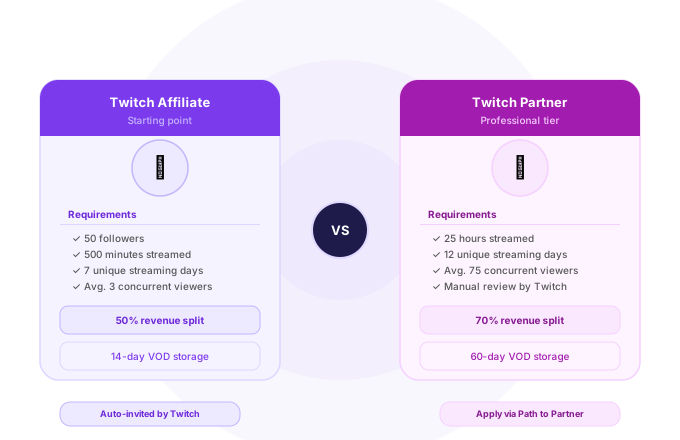
For streamers, it’s necessary to meet two requirements: first, they must be Twitch Affiliate or Twitch Partner to receive Bits. Second, it’s important to enable Bits cheering on the channel.
Enabling Bits is rather easy and takes only several steps:
- Affiliates: Creator Dashboard -> Settings -> Channel -> Cheering -> Enable
- Partners: Creator Dashboard -> Settings -> Partner Settings -> Bits & Cheering -> Enable
Note that it takes some time after you enable the feature until the system processes it. So be patient!
Why is it Important for Your Channel’s Success
As you have already noticed, we recommend streamers to turn on the Bits donation function on their channels. Why is it so important for success on Twitch?
Firstly, as a streamer, you can monitor the total number of Bits donations, track the popularity of your channel and compare your progress with other Twitch channels.
Secondly, as a streamer you are interested in creating a community. Bits donations promote the idea of community building since usernames of contributors are highlighted in chat, and they appear to be donating emotes. That helps to create a positive atmosphere of mutual help and friendship among the members of the community.
Thirdly, people who are long-time Bit contributors on your channel usually form a core of your community and thus help to preserve other members of the community over the years.
That said, for the new streamer it’s extremely important to have some initial base of followers on Twitch in order to receive some contributions. In StreamerPlus we can help you to get some of them! We offer affordable packages with real Twitch followers and viewers for every streamer regardless of the channel’s niche.
Need more help in your Twitch channel’s development? Read about the best time to stream, or find out why Twitch still beats Kick in 2026.
Have any questions?
All questions about Twitch bits answered, below

How many free Bits can I earn daily watching ads?
There is no official daily maximum limit of Bits for ad-watching. However, from our experience, the limit varies from 50 to 200 Bits per day. We recommend you watching ads right after midnight PST to avoid hitting this limit.
Do Bits expire on Twitch?
No, Bits don’t have any expiration date and you can use them for any donation as long as you wish.
Is it possible to transfer Bits to another Twitch user?
Unfortunately, it’s impossible to transfer Bits to another person. Twitch keeps track of who donated what and it makes transferring Bits impossible.
What’s the minimum Bit donation?
It is 1 Bit; however, you can set minimum Bit donation for yourself in your channel’s settings.
Do streamers get 100% of donations?
Absolutely! Every Bit donated costs streamers $0.01 and no hidden fees apply here.
Is it possible to earn Bits on mobile devices?
Yes, the first method described in our article works on mobile and web platforms equally. The second method can only be used on computers.
How do I calculate the value of my Bits?
Use our convenient Bits to USD Converter tool.

Drew Caldwell
Author, Contributor, Social Media ExpertDrew Caldwell is a consultant, researcher, and editor-in-chief of the Streamerplus blog. His expertise lies in the realms of social media, marketing, and digital strategy. Drew Caldwell has extensive knowledge on STEM Management and how to use data analytics to aid creators with algorithm management and audience growth.